Play Block Pixels Online Free
Play Block Pixels, a Puzzle game available in your browser. Review the controls, features, and compatibility notes below, then choose Play when you are ready.

















Most Popular This Month
View All results »

































Block Pixels
Game Details
How to Play
Block Pixels invites players to create and explore a vibrant world of pixelated blocks. Your primary task is to navigate the environment, collect items, and build structures using the blocks you find. The game encourages creativity as you can stack, Destroy, and arrange blocks to suit your style. Take on challenges that increase in complexity, and keep an eye out for hidden treasures that may help you in your adventure.
- 1. Drag a block piece
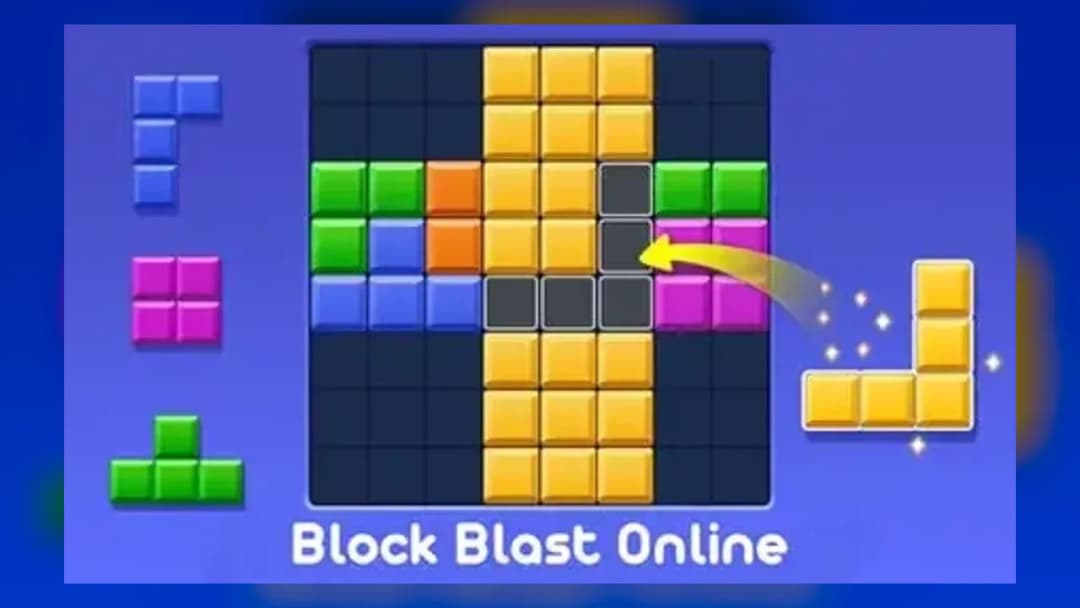
Click or touch a colorful piece in the tray and drag it onto the grid.
- 2. Complete a line
Place blocks until a full row or column is filled so it clears off the board.
- 3. Chase the reveal color
Prioritize clearing colors that uncover more of the hidden pixel-art image.
- 4. Keep the board open
Leave room in the center for awkward shapes so you never get stuck.
Game Features
About Block Pixels
Drag colorful block pieces onto a grid and clear full lines to slowly uncover a hidden pixel-art picture like a cat, donut, or robot. Each clear reveals...
What's in this guide
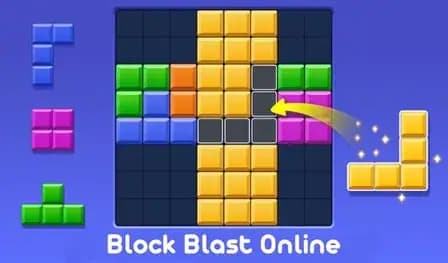
Block Pixels online is a drag-and-drop block puzzle with a twist most grid games skip: every line you clear slowly peels back a hidden pixel-art picture. You start staring at an empty board, and by the time you finish you've uncovered a cat, a donut, or a robot one cleared row at a time. That reveal loop is why people play Block Pixels instead of a plain block game.
The moment-to-moment play is familiar — you drag colorful block pieces onto the grid, and completing a full horizontal or vertical line makes it vanish, exactly like a classic block-clearing puzzle. What's different is the hidden pixel art underneath: clearing enough of the right-colored blocks exposes more of the concealed image.
This Block Pixels puzzle game runs free in your browser with no download, so you can jump straight in. Below is how the core loop, controls, and strategy actually work.
| Game | Block Pixels |
|---|---|
| Category | Puzzle |
| Price | Free to play |
| Download | None — plays in browser |
| Controls | Drag and drop |
How the Block Pixels Clearing Loop Works
The objective is simple to grasp but deep to optimize: fit the block pieces you're handed onto the grid, fill a complete row or column, and watch it clear lines off the board. Unlike snake or falling-block games, pieces here don't drop on a timer — they sit where you drop them until you decide your next placement, so there's no time pressure, just spatial planning.
Why Every Cleared Line Matters
In this Block Pixels game, each successful clear counts toward revealing the concealed image. Clearing the correct colors uncovers portions of the hidden picture faster, turning a plain high-score chase into a treasure-hunt reveal. That dual goal — survive the board and finish the art — is the game's signature hook.
How to Play Block Pixels: Controls
Learning how to play Block Pixels takes seconds. The only verified input is drag and drop blocks from the tray onto the grid:
- Desktop: click and hold a piece, drag it over the grid, release to place.
- Mobile/tablet: touch a piece, drag with your finger, lift to drop.
There are no keyboard shortcuts required — placement is pure pointer or touch, which makes it beginner-friendly and easy to pick up for a quick round.
Block Pixels Strategy: Plan Before You Place
Because pieces don't fall automatically, the smart play is to keep the board as open as possible. A few concrete tactics:
- Clear from the bottom and sides first — leave the center flexible for awkward L and T shapes.
- Don't dump a big piece into a corner unless it completes a line immediately; stranded blocks choke your options.
- Chase the color that reveals the picture — if two placements score the same, pick the one that uncovers more hidden pixel art.
- Keep at least one row and one column nearly full so incoming pieces have a guaranteed clear.
Playing Block Pixels Unblocked on Any Device
Since it's a lightweight browser puzzle, Block Pixels unblocked access just means loading the page where firewalls allow it. There's nothing to install, so it works the same whether you open it on a laptop, Chromebook, or phone browser. Note: developer, publisher, and release date for this title are not publicly disclosed.
Similar Block & Brain Puzzles on ZGames
If this block puzzle game clicks with you, these related picks on our puzzle games hub scratch the same itch:
- Solitaire — another no-pressure, think-ahead card puzzle with satisfying clears.
- Poor Eddie Unblocked — a browser game you can jump into instantly, no download.
- Maldives Hidden Objects — shares the uncover-the-hidden-image reveal payoff.
- Gameloft Solitaire — a polished, relaxing grid-based brain game.
At its heart, Block Pixels online rewards patience: every piece you drag and every line you clear slowly reveals the picture waiting underneath. Place smart, chase the colors, and finish the art — then start fresh and uncover the next hidden image.
More Games You'll Love
Controls
Frequently asked questions
What happens when you clear a line in Block Pixels?
Can I play Block Pixels on mobile?
Do I need to download anything to play Block Pixels?
How do you play Block Pixels?
Is there a hidden picture in every Block Pixels round?
"Block Pixels" and related names may be trademarks of their respective owners. This page is an informational game directory only; ZGames.io is not sponsored by or affiliated with trademark holders unless a specific game page says otherwise.
Gameplay Video: Block Pixels
OFFICIAL SOURCES & SITES
Player Reviews
No Reviews Yet
Be the first to share your feedback and rate this game!
Submit Your Review
Keep exploring