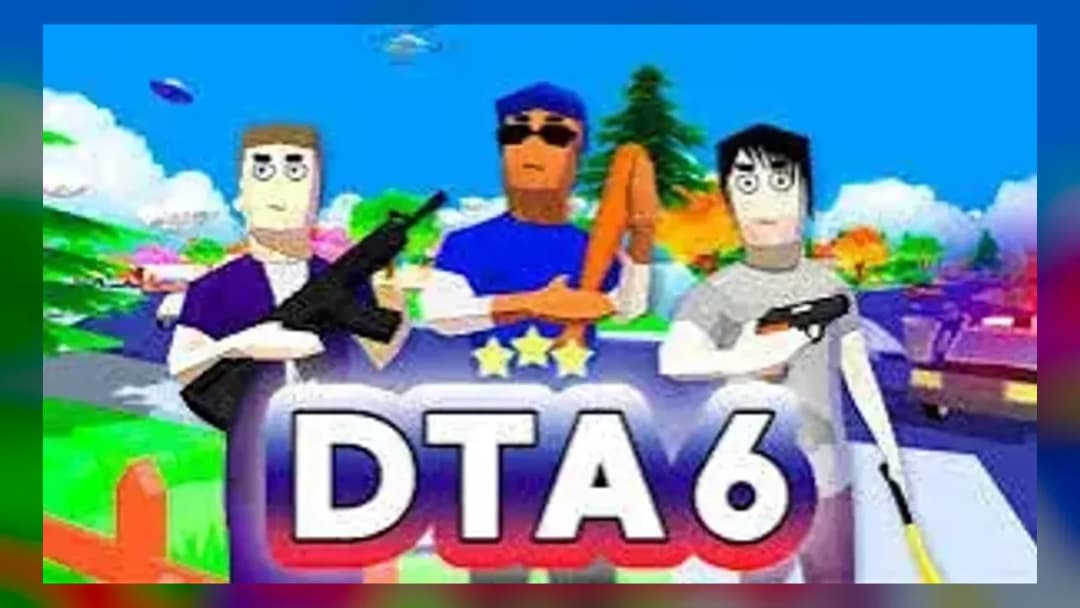
Play DTA 6 Online Free

Play DTA 6, a Action game available in your browser. Review the controls, features, and compatibility notes below, then choose Play when you are ready.

Advertisement
DTA 6

DTA 6

Enjoyed DTA 6? Explore the full Action Games collection.

Advertisement

  1. Home
  2. Action
  3. DTA 6

TECHNICAL SPECIFICATIONS

Category
Action
Technology
HTML5
Platform
Browser

OPERATIONAL GUIDE

The goal in DTA 6 is to complete city objectives while driving through traffic, avoiding crashes, and staying ahead of danger. Score comes from finishing missions efficiently, maintaining control during chases, and using the right vehicle for each route. Win by clearing objectives without losing momentum or getting boxed in.

CORE FEATURES

Open-city driving action
Browser-based gaming
No download required
HTML5 performance
Chromebook support
Mobile-friendly controls
Mission-based objectives
Fast instant play

Advertisement

About DTA 6

Play DTA 6 online free: steal cars, outrun traffic, and clear city missions in an unblocked browser game with no download on PC, Chromebook, and mobile.

DTA 6 Description Image

DTA 6 is a browser-based action driving game built for instant play on modern web devices. It runs through HTML5 browser technology rather than a separate executable, which means players can load the game on PC, mobile, tablet, and Chromebook without installing files. The core loop centers on hands-on city movement: steer through traffic, control momentum, hit objectives, and survive pressure from pursuit systems.

As a free-to-play browser game, DTA 6 belongs to the same arcade sandbox tradition as compact open-city driving games: quick restarts, readable streets, simple inputs, and mission-style goals. The appeal comes from direct control. Every turn, brake tap, collision, shortcut, and escape route matters. Players looking to play DTA 6 online, use a DTA 6 unblocked page, or try a DTA 6 no download session can launch it directly in the browser on Z Games.

Game NameDTA 6CategoryGamesTechnologyHTML5 / Browser NativePlatformsPC, Mobile, Tablet, ChromebookRequires Download?No, Instant Play

What's In This Guide

About DTA 6

DTA 6 uses the familiar language of browser sandbox action: a compact city space, responsive vehicles, short objectives, and fast failure recovery. Instead of asking players to manage complex menus, it puts most of the challenge into steering accuracy and route choice. The player reads intersections, avoids traffic, and decides when raw speed helps or ruins the run.

The design philosophy favors accessibility over simulation. Vehicle handling has enough weight to make braking meaningful, but it stays arcade-friendly so a keyboard, touchscreen, or Chromebook trackpad can still support quick play. That balance makes the DTA 6 browser game approachable on school laptops and casual mobile sessions while still leaving room for sharper driving.

Culturally, games like DTA 6 thrive because they compress the fantasy of an open-city chase into a lightweight HTML5 game. The format suits short breaks. No download, no launcher, and no long setup screen. The city becomes a small mechanical puzzle where every street corner can become a shortcut or a crash site.

  • Engine & Tech: The game uses browser-native HTML5 rendering, allowing quick loading and input handling inside Chrome, Edge, Firefox, Safari, and Chromebook browsers.
  • Accessibility: Simplified assets and browser execution help it run on low-end devices, especially when extra tabs are closed.
  • Updates: Public developer and release details are not confirmed, so ZGames.io lists the developer and date as unknown.

Complete DTA 6 Controls & Mechanics

The feel of DTA 6 depends on short, deliberate inputs. Holding acceleration constantly can work on wide roads, but it becomes dangerous near intersections or parked traffic. The better approach is to pulse steering, brake before the turn, and accelerate after the vehicle points toward open space.

Collision detection gives the game its bite. A light wall scrape may only cost speed, while a direct crash can stop the vehicle and ruin a chase. This makes positioning more important than top speed. Players who drive from lane to lane with purpose usually outperform players who simply hold forward and hope the road stays clear.

On mobile, the DTA 6 mobile experience relies on touchscreen buttons or browser touch input. On Chromebook, keyboard controls usually feel cleaner because WASD or arrow keys give fast directional changes. The DTA 6 HTML5 game format keeps latency low enough for arcade driving, but performance still depends on browser load and device memory.

  1. Movement: Use WASD or arrow keys to steer, accelerate, reverse, and correct the car angle during turns.
  2. Action: Use Space as a brake or handbrake-style control when the build supports it; tap rather than hold for tighter control.
  3. Mechanics: Momentum carries the vehicle forward after steering, so early braking prevents wide slides and corner crashes.

DTA 6 Advanced Strategies & Tips

Advanced DTA 6 play starts before the chase. Watch the road pattern and choose a route that gives recovery space. Narrow alleys can save time, but they punish bad angles. Wide roads allow higher speed, but they also leave fewer sudden escape options if traffic spawns ahead.

High-score routing rewards restraint. A perfect line through two safe corners beats a spectacular shortcut that ends in a bumper pileup. Treat every intersection as a timing problem: brake early, rotate the vehicle, then accelerate once the exit lane opens. This keeps momentum high without gambling the whole run.

Resource management in DTA 6 means managing speed, space, and vehicle condition. Do not waste braking after the crash has already happened. Brake before risk. If pursuit pressure builds, turn across side streets to force slower vehicles to adjust. If the road opens, accelerate smoothly and avoid unnecessary lane changes.

  • Perfect Your Timing: Begin turning slightly before the corner, then release steering as the car straightens to avoid overcorrection.
  • Manage Resources/Speed: Use full speed only on long straight roads with clear traffic visibility.
  • Avoid Common Mistakes: Do not ram through blocked lanes; one heavy collision costs more time than a clean detour.
  • Optimize Runs: Memorize safe corners, wide intersections, and predictable traffic zones to build consistent mission routes.

How to Play Unblocked at School

DTA 6 unblocked access works best because the game runs as a browser game rather than a downloaded program. Traditional executables often trigger device restrictions, while HTML5 games load through standard web pages. That technical difference makes instant play simpler on managed devices when the site itself remains accessible.

Modern school Chromebooks usually support HTML5 and WebGL-capable browsers, so play DTA 6 on Chromebook sessions can work without plugins. Unlike old Flash games, HTML5 does not require a retired runtime. Unlike installed PC games, it does not need admin permission, file extraction, or a launcher.

  • Chromebook Support: Fully compatible with school devices because it runs locally in RAM through the browser tab.
  • Browser Native: No executables are required, which keeps the experience simple and safer than unofficial downloads.

Known Glitches & Quirks

Browser driving games often expose small physics quirks because they prioritize speed and accessibility. In DTA 6, the most noticeable quirks usually come from collision angles. A vehicle may lose more speed than expected after clipping a corner, or it may slide awkwardly when two collision surfaces meet.

Visual desync can also appear on slower devices. The car may seem to brush scenery before the collision fully registers, especially if the browser drops frames. These quirks rarely break the game, but speed-focused players can learn them and use safer angles to avoid sudden stops.

  • Physics Quirks: Corner clipping can sometimes bounce the car away from walls, so shallow angles are safer than direct hits.
  • Visual Desync: Minor clipping may appear during fast turns or crowded traffic on low-memory browsers.

Top Alternatives & Competitors

DTA 6 competes with other free online driving and reflex games by offering quick city action instead of a long campaign structure. Compared with runner-style games, it gives players more directional freedom. Compared with heavier open-world games, it loads faster and fits shorter sessions.

Players who want pure reflex challenge may prefer endless runners. Players who want sharper physics may prefer stunt or racing titles. DTA 6 sits between those lanes: accessible enough for mobile gaming, structured enough for mission attempts, and light enough for no download browser play.

  • Subway Surfers: Faster lane-switch reflex play, but less open steering freedom than DTA 6.
  • Temple Run 2: Strong obstacle timing and chase pacing, while DTA 6 focuses more on vehicle momentum and road routing.

Similar Games on ZGames

If you enjoy DTA 6, you may also like these games:

Conclusion

DTA 6 is built for players who want immediate city-driving action without setup. It works as a DTA 6 free browser game because the challenge sits in the controls: steer cleanly, brake early, read traffic, and survive each objective with enough momentum to keep moving.

Play DTA 6 online free on Z Games when you want a no download HTML5 game that supports PC, mobile, tablet, and Chromebook play. The best runs come from controlled aggression, not blind speed. Load it in the browser, choose a route, and make every corner count.

Advertisement

More Games You'll Love

Controls

Use WASD or arrow keys to drive around the city. Press Space for braking or handbrake control when available, and use on-screen touch buttons on mobile devices.

Frequently asked questions

How do police chases work in DTA 6?
Police chases in DTA 6 reward clean driving more than reckless speed. Sharp turns, alley routes, and controlled braking help you break pursuit without crashing. If you keep hitting traffic or walls, the chase lasts longer because lost momentum gives patrol vehicles time to close the distance.
What is the best way to build a high score in DTA 6?
The safest way to earn a higher score in DTA 6 is to chain objectives while keeping the vehicle intact. Avoid unnecessary collisions, take wider turns at intersections, and learn where traffic usually spawns. Fast routes matter, but a clean run usually beats a chaotic shortcut.
Can you use different vehicles in DTA 6?
DTA 6 focuses on vehicle switching as a core sandbox mechanic. Different cars handle with different acceleration, steering response, and braking distance, so the best choice depends on the objective. Light vehicles turn quickly, while heavier vehicles feel more stable but need more room to stop.
Why do missions fail so quickly in DTA 6?
Mission failure usually happens when the player loses too much time, damages the vehicle badly, or gets trapped during a chase. The most common mistake is entering tight corners at full speed. Brake before the turn, straighten the car early, and accelerate only when the exit is clear.

"DTA 6" and related names may be trademarks of their respective owners. This page is an informational game directory only; ZGames.io is not sponsored by or affiliated with trademark holders unless a specific game page says otherwise.

OFFICIAL SOURCES & SITES

Player Reviews

No player reviews yet
โญ

No Reviews Yet

Be the first to share your feedback and rate this game!

Submit Your Review

Excellent

Keep exploring

More Action Games

View all Action Games ยป