Play GeoGuessr Online Free
Play GeoGuessr, a Puzzle game available in your browser. Review the controls, features, and compatibility notes below, then choose Play when you are ready.
Advertisement












Advertisement
Most Popular This Month
View All results »






















TECHNICAL SPECIFICATIONS
OPERATIONAL GUIDE
- 1. Scan Before You Move
Study the panorama first and note which side of the road cars drive on, since left- or right-hand traffic immediately narrows the region.
- 2. Read the Signs and Script
Drag to look around and zoom with the scroll wheel or +/- control to read road signs, languages, and vehicle plates for country-level clues.
- 3. Travel Down the Road
Use the arrow keys or double-click the road to move quickly toward towns, junctions, and readable signage that confirm your hypothesis.
- 4. Check Terrain and Sun
Use vegetation and climate to fix your latitude and the sun's position in the sky to settle which hemisphere you're in.
- 5. Place Your Pin
Drop your guess on the world map as close as you can; the nearer it lands to the true location, the more of the 5,000 possible round points you keep.
CORE FEATURES
Advertisement
About GeoGuessr
Play GeoGuessr online free and drop into a random Street View. Read road signs, driving side, and vegetation to pin your location before scoring hits zero.
What's in this guide
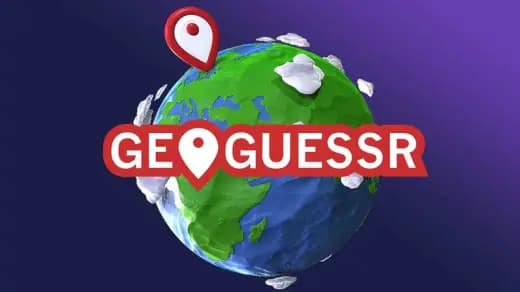
The score you see at the end of a round is a distance function: the closer your pin lands to the true spot, the more of a possible 5,000 points you keep. That single rule shapes every decision you make, because it means a wrong country costs you almost everything while a near-miss inside the right city still banks a strong total. Understanding that curve is the difference between guessing and reasoning.
This is a location-deduction puzzle. You spawn inside a Street View panorama with no label, no coordinates, and no map marker telling you where you stand. Your only job is to look — at the road, the signs, the plants, the light — and translate what you see into a pin on the world map before you commit.
Learning how to play GeoGuessr is less about memorizing controls and more about training what your eyes do in the first ten seconds after you land. This guide is built around the decisions a new player faces, the consequences of each choice, and the errors that quietly bleed points.
| Game | GeoGuessr |
|---|---|
| Category | puzzle |
| Technology | HTML5 |
| Platforms | Web, Mobile, Tablet, PC |
| Core goal | Guess your location from Street View and pin it on the map |
| Round scoring | Up to 5,000 points per round |
What should you notice in the first ten seconds?
The opening moments decide your ceiling. Before you touch the arrow keys, read the whole panorama once. Three signals do most of the heavy lifting immediately.
Which side of the road are cars driving on? Left-hand traffic instantly excludes most of the world and points you toward a specific cluster of countries. This is the highest-value single observation available, and skipping it is the most common beginner error.
What script is on the signs? The alphabet or writing system on road signs and shopfronts narrows a continent to a region in one glance. Even if you can't read the language, recognizing the script is enough to eliminate huge portions of the map.
What is growing, and how bright is the light? Vegetation and terrain betray climate — tropical greenery, arid scrub, and cold-weather conifers each map to different latitudes. The position of the sun in the sky can hint at hemisphere. These are slower reads, but they stop you from pinning the wrong half of the planet.
The cost of skipping the scan
New players tend to move first and look later. That inverts the correct order. Movement is cheap, but it also burns your attention on navigation instead of analysis. Do the standing scan, form a hypothesis, and only then move to confirm or reject it.
How does scoring actually reward your guess?
The classic format runs five rounds. Each round hands you a fresh Street View drop and asks for one pin. That pin returns up to 5,000 points, scaled by how close it is to the real location. Stack five rounds and a perfect game reaches 25,000 points.
The practical takeaway is that the scoring is unforgiving of continental errors and forgiving of local ones. A pin that lands in the correct country but the wrong city still scores respectably; a pin on the wrong continent scores almost nothing. That is why your first-scan hypothesis — country and region — matters far more than pinpointing the exact street.
| Outcome | Effect on score |
|---|---|
| Exact location | Near-maximum, up to 5,000 in the round |
| Right city, wrong street | Strong partial score |
| Right country, wrong city | Moderate score |
| Wrong country or continent | Score collapses toward zero |
What are the exact controls for moving and looking?
The interface separates three actions: moving along the road, panning your view, and zooming in on detail. Getting fluent with all three is what lets you chase a distant road sign instead of guessing blind.
Moving through the panorama
- Arrow keys — the fastest way to travel along the road, quicker than clicking arrow markers one at a time.
- Double-click on the road — jumps you forward toward the point you clicked, useful for covering distance to reach a town or junction.
Looking and zooming
- Click and drag — pans your view to spin the camera in any direction.
- Scroll wheel — zooms in and out; on a trackpad this is the pinch gesture.
- +/- control — the on-screen zoom button in the corner, an alternative to the scroll wheel.
- Pinch to zoom — the touch equivalent on phones and tablets.
These GeoGuessr controls are the practical toolkit for this browser build. The official desktop client adds keyboard shortcuts — Z to undo a move, C to set and return to a checkpoint, R to jump back to the spawn point — but embedded panoramas that load inside an iframe often cannot capture those keys. Treat the arrow keys, double-click travel, mouse-drag panning, and scroll zoom as your reliable inputs here.
What common mistakes cost the most points?
Most lost points trace back to a handful of repeatable errors. Fixing them is faster than learning obscure regional trivia.
- Pinning too early. If your hypothesis is only "somewhere in Europe," you have not earned a confident pin yet. Move down the road and find a sign, a plate, or a place name first.
- Ignoring the driving side. This one observation eliminates most of the map. Skipping it is why players confidently pin the wrong hemisphere.
- Never zooming. A blurry sign at distance holds a country name, a phone-number format, or a language — all of it invisible until you zoom.
- Following the wrong direction. When you double-click to travel, verify you're heading toward populated infrastructure, not deeper into empty countryside where clues dry up.
How do you actually get better at reading a scene?
Improvement is systematic, not lucky. Build a fixed checklist and run it every round until it becomes automatic.
- Driving side — left or right, to fix the broad region.
- Language and script — on any sign, storefront, or billboard.
- Vehicle plates and road markings — plate shape and line color vary by country.
- Vegetation and terrain — to confirm climate and rough latitude.
- Sun position — as a hemisphere tiebreaker when other clues are ambiguous.
Run the list in order, from the cheapest, highest-value clue to the slower confirming ones. Each step narrows the map, and the discipline of doing them in sequence is what separates a consistent scorer from someone who occasionally gets lucky.
Does the browser version play well on mobile?
As an HTML5 build, this GeoGuessr browser game runs across web, mobile, tablet, and PC. On touch devices the input map shifts: you tap to move, drag to pan, and pinch to zoom instead of using the scroll wheel. The core decision loop is identical on every device — scan, hypothesize, move to confirm, then pin — so the reasoning you practice on desktop carries straight over to a phone.
Where the free version fits
You can play GeoGuessr online right here in the browser with no install. This is a free, HTML5 build of the location-guessing concept, so if you're specifically looking for a GeoGuessr free way to sharpen your clue-reading without setup, this embed drops you straight into a panorama. The mechanics — Street View exploration, distance-scored pins, and the five-round classic rhythm — are the puzzle at the heart of the game.
More puzzle games on ZGames to try next
If the deduction loop here clicks with you, these puzzle games scratch a similar problem-solving itch in different ways:
- Cute Animal Clicker — a lighter tap-and-progress game for when you want a break from hard deduction.
- Horse Magnifier — rewards the same close-observation instinct you use to read distant Street View signs.
- Math Bros — swaps geography clues for quick numeric puzzles under pressure.
- Block Master Puzzle Blocks Explosion Puzzle — a spatial fitting puzzle that trains the same plan-before-you-commit thinking.
Master the ten-second scan and the driving-side check, and you'll turn a wild guess on the wrong continent into a confident pin in the right city — which is exactly where the points live.
Advertisement
More Games You'll Love
Controls
Frequently asked questions
How is my score calculated each round in GeoGuessr?
What clues should I read before placing a pin?
How do I move around the Street View faster?
Why can't I use the Z, C, and R keyboard shortcuts?
How do I zoom in to read a distant sign?
What kinds of locations can appear in a round?
"GeoGuessr" and related names may be trademarks of their respective owners. This page is an informational game directory only; ZGames.io is not sponsored by or affiliated with trademark holders unless a specific game page says otherwise.
Player Reviews
No Reviews Yet
Be the first to share your feedback and rate this game!
Submit Your Review
Keep exploring