Play Geometry Vibes X Arrow Online Free
Play Geometry Vibes X Arrow, a Casual game available in your browser. Review the controls, features, and compatibility notes below, then choose Play when you are ready.


Geometry Vibes X Arrow




















Most Popular This Month
View All results »
































Related Tags
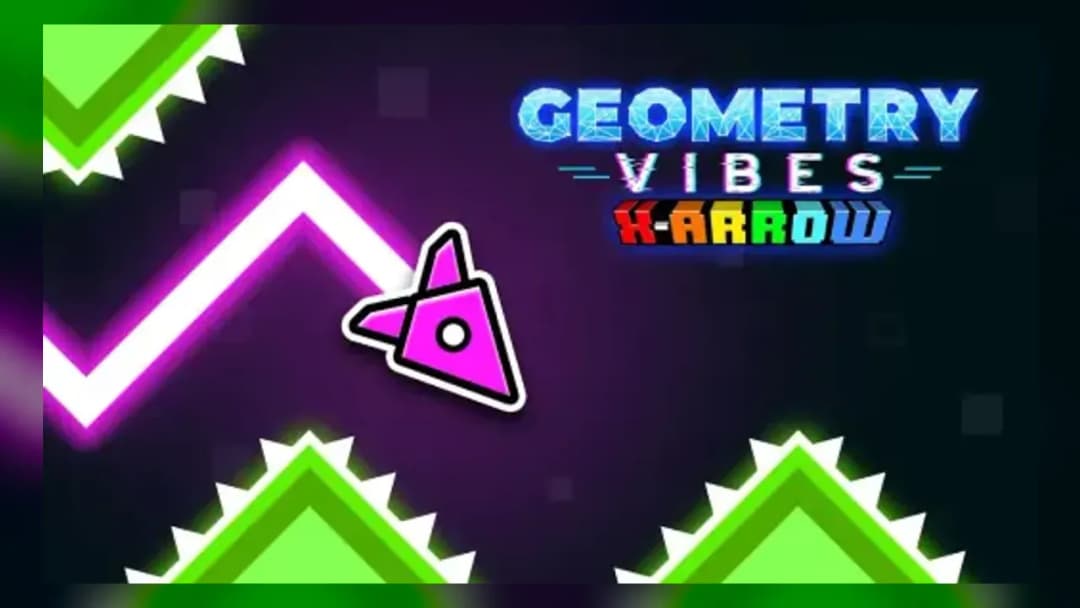
Geometry Vibes X Arrow
Game Details
How to Play
- 1. Start the game
Click on the game screen to begin.
- 2. Move your character
Use the arrow keys to navigate your character one step at a time.
- 3. Read the layout
Check how the geometric shapes around your character fit together before choosing a route.
- 4. Solve the puzzle
Plan a route that gets your character through each puzzle without wasting moves.
Game Features
About Geometry Vibes X Arrow
Play Geometry Vibes X Arrow and guide an X-shaped arrow through geometric paths to the portal. Five modes include 2-4 player. Play it free in your browser.
What's in this guide
Geometry Vibes X Arrow is a casual puzzle game built around geometric shapes that runs in your web browser. You click to start, then use the arrow keys to move your character while you solve its puzzles. Because it is an HTML5 browser game, there is no separate program to install before you begin.
What you do in Geometry Vibes X Arrow
The core loop is simple: read the layout on screen, decide where your character needs to go, press an arrow key, and watch how the puzzle responds. Each puzzle is built from geometric shapes, so the challenge comes from understanding how those shapes fit together and which route gets your character through without wasting moves.
Because the game is built around puzzle solving, most of the learning happens during play. Your first few attempts are useful for finding out how each key press changes the position of your character and what the layout does in return.
How to Play Geometry Vibes X Arrow
- Open the game in your browser and click on the game screen to start.
- Press a single arrow key and check where your character ends up before pressing another.
- Look at the shapes around your character and work out which direction leads toward the solution of the current puzzle.
- If a route leads into a dead end, step back, reset your plan and try another route rather than repeating the same moves.
- Keep working through the puzzles, applying what you learned on earlier layouts to the harder ones.
Geometry Vibes X Arrow Controls
| Action | Keys |
|---|---|
| Start the game | Click on the game screen |
| Move your character | Arrow keys |
The arrow keys are the only movement controls listed for the game, so keep your fingers on them for the whole session.
Tips and strategy
- Study the whole layout before you move, so you can plan a route instead of reacting to each shape as it comes into view.
- Use single key presses at first, then check the new position before the next move. Small steps make it easier to spot a mistake early.
- When you get stuck, back out of the wrong path and test a different route. Repeating the same sequence rarely changes the result.
- Pay attention to which shapes block your character or send it in an unexpected direction, and avoid walking into those spots again.
- Practise on the easier layouts first to learn how your character responds, then bring that understanding to the harder puzzles.
- If you are playing on a laptop, use the physical keyboard arrow keys rather than a trackpad gesture so your movements stay consistent.
For more puzzle play, try Knock Balls or Block Blaster, or browse the Puzzle games category.
More Games You'll Love
Controls
Frequently asked questions
What kind of game is Geometry Vibes X Arrow?
How do I start Geometry Vibes X Arrow and move my character?
"Geometry Vibes X Arrow" and related names may be trademarks of their respective owners. This page is an informational game directory only; ZGames.io is not sponsored by or affiliated with trademark holders unless a specific game page says otherwise.
Gameplay Video: Geometry Vibes X Arrow
OFFICIAL SOURCES & SITES
Player Reviews
No Reviews Yet
Be the first to share your feedback and rate this game!
Submit Your Review
Keep exploring