Play Arcade Tennis Online Free
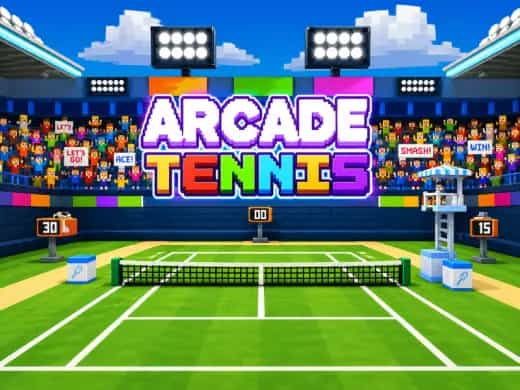
Play Arcade Tennis, a Sports game available in your browser. Review the controls, features, and compatibility notes below, then choose Play when you are ready.











Most Popular This Month
View All results »


























Related Tags

Arcade Tennis
Game Details
How to Play
- 1. Click the game area
Click inside the game window so the browser sends your key presses to the game.
- 2. Move with the arrow keys
Use the arrow keys to move your player toward the ball as it travels.
- 3. Hit with the space bar
Press the space bar as the ball reaches your player to hit it back.
- 4. Keep the rally going
Reposition after each shot so you are ready for the next return.
Game Features
About Arcade Tennis
Play Arcade Tennis in your browser. Move your player with the arrow keys, hit the ball with the space bar and win rallies. Play it free, no download needed.
What's in this guide
What You Do in Arcade Tennis
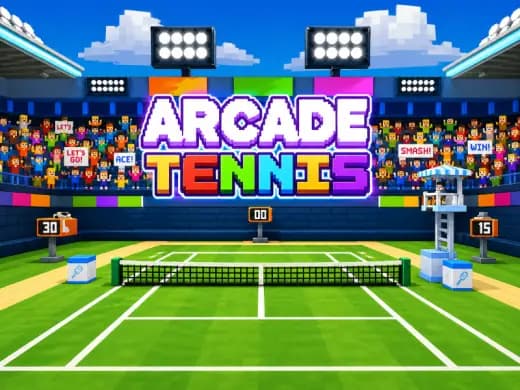
Arcade Tennis is a sports game in which you control a tennis player on court. You move your player with the arrow keys, position yourself under the incoming ball, and press the space bar to hit it back. Each exchange is a rally, and the core loop is simple: read the ball's path, get into position, time your hit, and keep the ball moving across the net.
The game is built around quick reactions rather than long setup. Your hit depends on where your player stands and when you press the space bar, so small errors in positioning or timing often decide who wins the exchange. Arcade Tennis runs in your web browser as an HTML5 game, so you can start a rally without installing anything.
How to Play Arcade Tennis
- Open the game in your browser and click the game area so it receives your keyboard input.
- Use the arrow keys to move your player toward the ball as it travels across the court.
- Press the space bar as the ball reaches your player to hit it back over the net.
- Reposition after each shot so you are ready to reach the next return, and keep the rally going.
Your goal in each exchange is to hit the ball so your opponent cannot return it. Spend your first rallies learning the timing of the space bar before you focus on where your shots land, because a well-timed return is the foundation of every point.
Arcade Tennis Controls
The controls are the arrow keys for movement and the space bar for hitting the ball. Both are used with your keyboard during play.
| Action | Keys |
|---|---|
| Move your player | Arrow keys |
| Hit the ball | Space bar |
What Changes Between Sessions
This page does not describe separate levels, characters, items or unlocks for Arcade Tennis, because the game's listed controls cover only movement and hitting. Each session is a set of rallies in which your improvement comes from better timing and positioning. Replaying the same rallies is the best way to notice how your reactions change from one session to the next.
Tips and Strategy for Arcade Tennis
- Watch the ball's arc before you move, so you can reach the landing spot early instead of chasing it.
- Press the space bar when the ball is close to your player, not the moment it leaves the opponent's side.
- Return to the middle of your side of the court after each shot so you can cover both corners.
- Avoid tapping the space bar repeatedly; a single well-timed hit usually works better than frantic swings.
- Move early on short balls, since a late step often leaves you out of position for the hit.
- Practise rallies to build a feel for the timing before you try to aim your shots.
- Keep your eyes on the ball rather than on your own player, so you can judge the distance it still has to travel.
If you enjoy fast tennis rallies, you may also like Tennis Masters, or explore more titles in the Sports category and the 2 Player games list.
More Games You'll Love
Controls
Frequently asked questions
What platform does Arcade Tennis run on?
"Arcade Tennis" and related names may be trademarks of their respective owners. This page is an informational game directory only; ZGames.io is not sponsored by or affiliated with trademark holders unless a specific game page says otherwise.
Gameplay Video: Arcade Tennis
OFFICIAL SOURCES & SITES
Player Reviews
No Reviews Yet
Be the first to share your feedback and rate this game!
Submit Your Review
Keep exploring