Play Loop Crash Unblocked Online Free
Play Loop Crash Unblocked, a Racing game available in your browser. Review the controls, features, and compatibility notes below, then choose Play when you are ready.
Advertisement
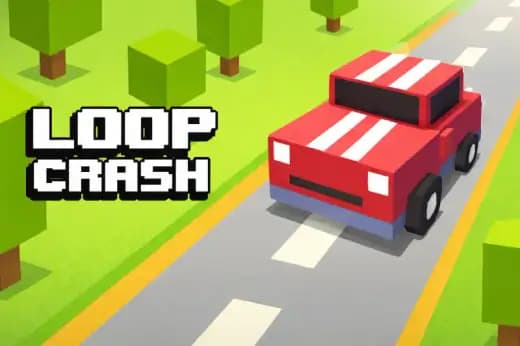
Loop Crash Unblocked















Advertisement
Most Popular This Month
View All results »


































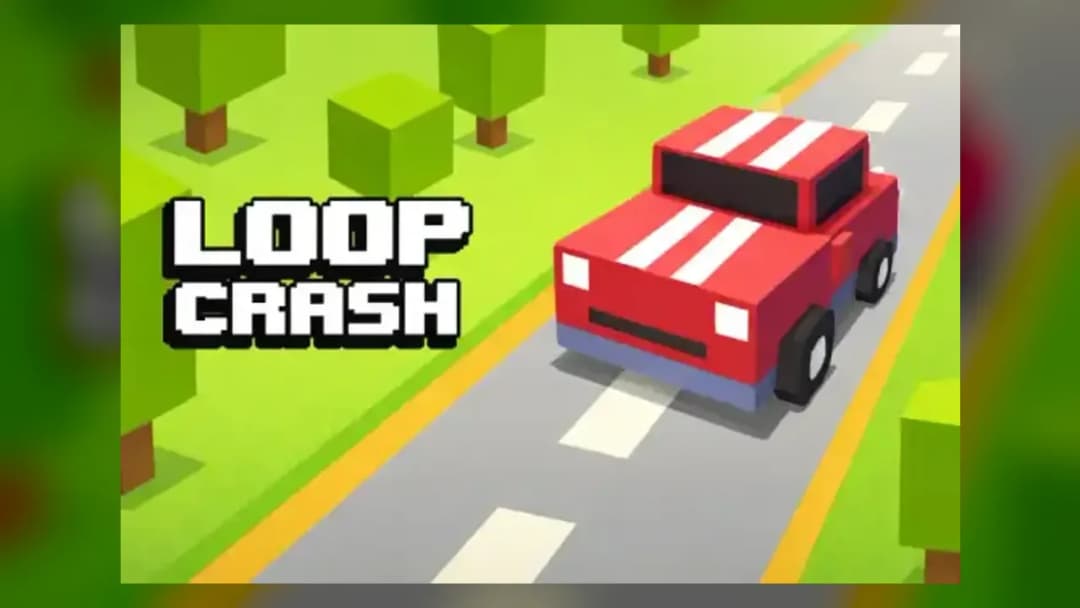
Loop Crash Unblocked
TECHNICAL SPECIFICATIONS
OPERATIONAL GUIDE
- 1. Read the Traffic Loop
Watch the full circular road, not only your car. Identify incoming vehicles before they reach the crossing point.
- 2. Control Your Speed
Tap, click, or press the action key to accelerate when the lane is clear. Release before traffic closes the gap.
- 3. Time Each Crossing
Move through intersections only when the next vehicle has already passed or is far enough away to leave a safe window.
- 4. Chain Safe Laps
Survive consecutive loops to raise your score. Avoid risky bursts unless you can clearly see the next opening.
- 5. Restart and Refine
After a crash, restart quickly and adjust your timing based on the traffic pattern that ended the previous run.
CORE FEATURES
Advertisement
About Loop Crash Unblocked
Play Loop Crash online free with no download. Time fast lane changes on looping roads in this unblocked browser arcade game for PC, mobile, Chromebook.
What's in this guide
Loop Crash is a browser-native arcade driving game built around timing, circular traffic flow, and instant failure. The player controls a small vehicle moving around a looping road while other cars create moving hazards. The challenge comes from reading spacing, pressing at the correct moment, and refusing the panic tap that causes most crashes.
As an HTML5 game, Loop Crash runs directly in a modern browser on PC, mobile, tablet, and Chromebook hardware. It does not require a plugin, installer, or executable file. That design makes it a practical instant play choice for short sessions, especially when the player wants a Loop Crash browser game with no download and responsive controls.
Game NameLoop CrashCategoryGamesTechnologyHTML5 / Browser NativePlatformsPC, Mobile, Tablet, ChromebookRequires Download?No, Instant PlayWhat's In This Guide
- About Loop Crash
- Complete Controls & Mechanics
- Advanced Strategies & Tips
- How to Play Unblocked at School
- Platforms & Versions
- Known Glitches & Quirks
- Top Alternatives & Competitors
About Loop Crash
Loop Crash belongs to the modern one-touch arcade tradition: small rules, sharp consequences, and fast restarts. Instead of asking the player to manage a full racing line, it compresses driving into one essential question: is this gap safe? That narrow focus gives the game its bite. Every lap feels readable, but every second adds pressure.
The design philosophy favors clarity over spectacle. The road loop acts like a clock face, and traffic becomes a set of moving hands. Players learn rhythm through repetition. A crash rarely feels random; it usually comes from accelerating into a closing window or watching the wrong vehicle.
The game’s cultural appeal comes from snackable failure. It fits the same browser-game habit as Slope, Geometry Dash, and endless runners: one mistake ends the run, but the restart is immediate. That structure makes Loop Crash free-to-play, easy to share, and ideal for score chasing.
- Engine & Tech: The Loop Crash HTML5 game uses browser rendering for simple sprites, collision checks, and frame-based movement, keeping performance stable on common devices.
- Accessibility: Because the visual scene stays compact, low-end Chromebooks can usually run it without heavy GPU demand.
- Updates: Public version history is not confirmed, so players should treat current gameplay as the standard browser edition.
Complete Loop Crash Controls & Mechanics
Loop Crash feels strict because the control scheme removes excuses. On desktop, players use a mouse click, spacebar, or supported key input to trigger the main action, depending on the embedded version. On mobile, a tap performs the same role. The input is simple, but the decision behind each press carries weight.
The core mechanic revolves around velocity and spacing. Pressing at the wrong time can push the car into traffic that looked harmless a second earlier. Releasing or waiting can be just as important as acting. Good players do less. They let vehicles pass, then move through the open lane with a clean rhythm.
Collision detection usually rewards conservative timing. If two car sprites overlap at a danger point, the run ends. The hitbox may feel slightly larger than the visible vehicle during fast movement, which is common in arcade browser games. Treat every near miss as a warning, not a strategy.
- Movement: Use click, tap, spacebar, or the available action key to control your car’s timing on the loop.
- Action: Accelerate or commit only when the next traffic gap gives enough room for the whole vehicle.
- Mechanics: The game tests reaction time, lane reading, momentum control, and collision awareness.
Loop Crash Advanced Strategies & Tips
High scores in Loop Crash come from patience. The best route is not always the fastest route. Players who mash the input tend to create their own crash because they shorten the decision window. Watch the loop as a system. Your car, traffic, and intersection timing all matter at once.
A strong technique is to read two hazards ahead. If the nearest car has already passed, do not move automatically. Check the next vehicle entering the loop. Many failed runs happen when the first gap looks safe but the second car reaches the crossing before your vehicle clears.
For score attack, build a repeatable tempo. Count the rhythm of traffic and press only when the pattern opens. If the game speeds up, reduce risk rather than increasing it. The scoreboard favors survival, and survival favors clean decisions.
- Perfect Your Timing: Press just after a vehicle clears the danger zone, not while it is still leaving your lane.
- Manage Resources/Speed: Save aggressive acceleration for wide gaps where the next two vehicles are visible.
- Avoid Common Mistakes: Do not stare at your own car; watch the traffic entering the loop.
- Optimize Runs: Use early laps to learn rhythm, then tighten inputs only after the pattern becomes predictable.
How to Play Unblocked at School
Loop Crash unblocked means the game can be played through a browser page without installing a separate program. Schools and workplaces often restrict executable files, unknown downloads, or old plugin formats. HTML5 browser games work differently: the game loads as web content and runs inside the browser sandbox.
Flash games depended on a discontinued plugin, while executable games require local installation and permissions. A modern Loop Crash no download version uses browser-native code, assets, and input handling. That makes it easier to access on managed devices when gaming sites are allowed by the local network policy.
- What is Unblocked: It describes browser access without a separate installer or blocked executable.
- Chromebook Support: You can play Loop Crash on Chromebook because Chrome handles the game in RAM through the browser.
- Browser Native: No desktop app, plugin, or unsafe file is required for normal play.
Platforms & Versions
Loop Crash works best as an instant play browser game. On desktop, the larger screen helps players read traffic earlier. Keyboard or mouse input also gives a crisp press-and-release feel, which matters when a small hesitation decides the run.
Loop Crash mobile play shifts the experience to touch. Tapping the screen feels natural for one-button arcade design, but the smaller display demands stronger visual scanning. Tablets sit in the middle: bigger road visibility with the same direct touch response.
- Browser Version: The browser edition launches quickly and keeps progress focused on score attempts rather than installation steps.
- Mobile Experience: Touch controls make short sessions easy, especially when restarting after a crash.
Known Glitches & Quirks
Loop Crash uses simple arcade physics, so most quirks come from timing and collision boundaries. At high speeds, a car may appear to crash just before or just after visible contact. That effect usually comes from hitbox overlap being checked frame by frame.
Visual desync can also happen on overloaded browsers. If many tabs run in the background, animation may stutter and make traffic harder to read. Closing extra tabs often improves consistency, especially on older Chromebooks.
- Physics Quirks: Near misses can feel tighter than they look because the invisible hitbox protects the full vehicle shape.
- Visual Desync: Minor stutter may occur if the browser drops frames during fast traffic movement.
Top Alternatives & Competitors
Loop Crash competes with reflex-based arcade games that punish one mistake. Compared with Slope, it is less about steering through 3D space and more about binary timing. Slope tests continuous correction; Loop Crash tests judgment at fixed danger points.
Compared with Geometry Dash, Loop Crash has a looser rhythm but similar restart psychology. Geometry Dash asks players to memorize jumps. Loop Crash asks players to read traffic dynamically. Both reward discipline, but Loop Crash feels more like traffic management than platforming.
- Slope: Faster camera motion, continuous steering, and stronger momentum pressure.
- Geometry Dash: More memorization, music timing, and obstacle sequencing.
Similar Games on ZGames
If you enjoy Loop Crash, you may also like these games:
Conclusion
Loop Crash is effective because it strips arcade driving down to timing, traffic reading, and instant accountability. It does not need complicated systems to create tension. One tap can save the run or end it.
Play Loop Crash online free when you want a fast HTML5 game that runs in the browser with no download. It is Chromebook compatible, mobile friendly, and built for quick restarts after every crash.
Advertisement
More Games You'll Love
Controls
Frequently asked questions
What is the best way to build a high score in Loop Crash?
Does Loop Crash have levels or endless arcade progression?
How do you avoid sudden crashes in Loop Crash?
Can two players control cars in the same Loop Crash run?
"Loop Crash Unblocked" and related names may be trademarks of their respective owners. This page is an informational game directory only; ZGames.io is not sponsored by or affiliated with trademark holders unless a specific game page says otherwise.
OFFICIAL SOURCES & SITES
Player Reviews
No Reviews Yet
Be the first to share your feedback and rate this game!
Submit Your Review
Keep exploring