Play Subway Surfers Las Vegas Online Free
Play Subway Surfers Las Vegas, a Adventure game available in your browser. Review the controls, features, and compatibility notes below, then choose Play when you are ready.


Subway Surfers Las Vegas


















Most Popular This Month
View All results »































Subway Surfers Las Vegas
Game Details
How to Play
Game Features
About Subway Surfers Las Vegas
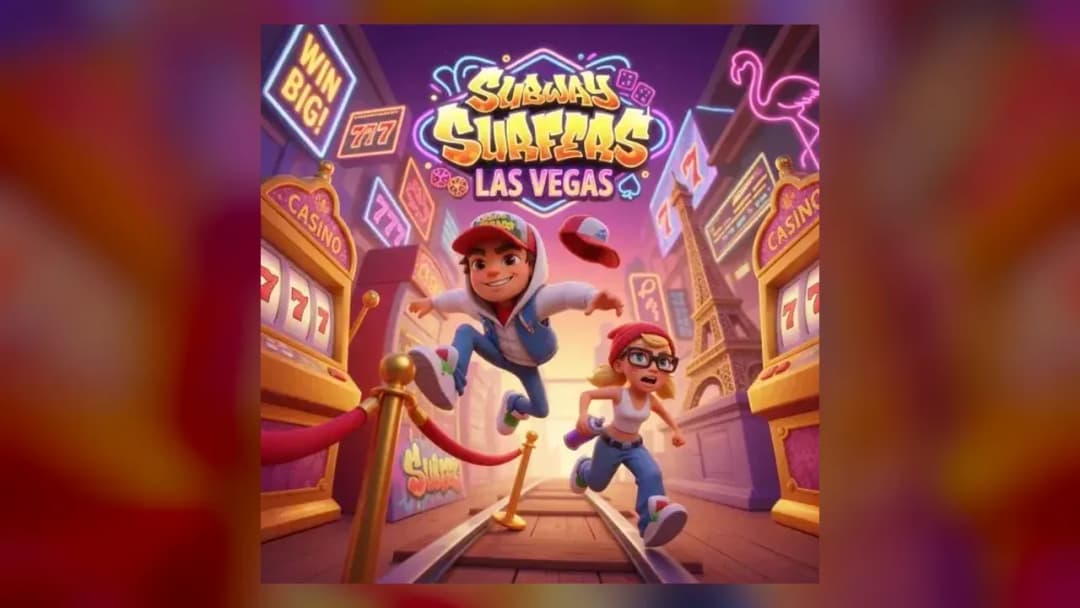
Play Subway Surfers Las Vegas, the World Tour stop with Rex and the Roller hoverboard. Run the endless route, dodge obstacles and play free in your browser.
What's in this guide
Subway Surfers Las Vegas is an endless runner you can play in your browser, with running, obstacle and reflex gameplay. The game is listed as single-player and runs on HTML5 technology. This guide explains what you do in a run, how a session flows, and how to last longer on each attempt.
What You Do in Subway Surfers Las Vegas
The core loop is simple: your character keeps moving forward, and you react to what appears on the path ahead. Because the game is endless, there is no fixed finish line to reach. Each run continues until you collide with an obstacle, so your goal is to keep going for as long as you can while staying clear of danger.
Reflexes matter more than long-term planning. Obstacles can appear with little warning, so a good session depends on reading the path a short distance ahead and responding cleanly rather than reacting late. Your result comes from how long you survive in that one run.
How to Play Subway Surfers Las Vegas
Open the game in a supported browser on your PC, tablet, phone or Chromebook, and wait for it to load fully.
Start a run and let your character begin moving forward. The run keeps going while you watch the screen, so there is no pause to plan.
Watch for obstacles on your path and move out of their way before you reach them. Early reactions give you more room to recover.
Keep going until the run ends. A run is over when you hit an obstacle, and you can then start a new attempt and try to beat your previous distance.
Subway Surfers Las Vegas Controls
The listing for this game does not include a detailed control list, so check the on-screen prompts when you start a run. Use the controls the game displays on your device, whether that is a keyboard, a mouse or touch input, and try a short practice run to confirm how each one responds before attempting a longer session.
What Changes Between Sessions
The game is listed as single-player, so you play on your own against the run itself. Each session is a fresh attempt at the same running challenge. The listing does not describe separate levels, characters or unlockable items, so the most reliable way to improve is to practise the core movement and reading of the path. Compare your runs over time rather than expecting a set order of stages.
Tips and Strategy for Longer Runs
Look ahead rather than at your character. Spotting an obstacle early gives you more time to move safely.
Avoid overcorrecting. Small, controlled movements usually keep you on course better than sudden large ones.
Stay calm as the pace builds. Endless runners generally become more demanding the longer you survive, so panic is a common cause of early failure.
Play short sessions. Repeated runs help you learn the rhythm of the path and improve your reaction timing.
Take a short break between runs. Fresh focus helps with the quick decisions that reflex-based gameplay demands.
Keep your hands and eyes on the screen centre. Watching the area just ahead of your character lets you respond before an obstacle is on top of you.
Treat each failed run as practice. Note the moment you crashed and think about what you could have seen earlier.
Similar Games to Try
If you enjoy fast endless running, Subway Surfers Copenhagen is another running game to try. For a different endless challenge, X Trench Run is worth a look, and you can browse more Adventure games on the site.
More Games You'll Love
Controls
Frequently asked questions
What kind of game is Subway Surfers Las Vegas?
Which platforms does Subway Surfers Las Vegas support?
Is Subway Surfers Las Vegas a single-player game?
"Subway Surfers Las Vegas" and related names may be trademarks of their respective owners. This page is an informational game directory only; ZGames.io is not sponsored by or affiliated with trademark holders unless a specific game page says otherwise.
Player Reviews
No Reviews Yet
Be the first to share your feedback and rate this game!
Submit Your Review
Keep exploring