Play Sprinter Unblocked Online Free
Play Sprinter Unblocked, a Sports game available in your browser. Review the controls, features, and compatibility notes below, then choose Play when you are ready.














Most Popular This Month
View All results »

























Sprinter Unblocked
Game Details
How to Play
- 1. Start the race
Click the game area once so the game receives your input, then begin the first race.
- 2. Alternate the arrow keys
Press Left and Right in turn to build speed, keeping the presses even.
- 3. Keep pace with opponents
Watch your position, because one wrong key press lets opponents pull ahead.
- 4. Finish first
Win the race to move on, or restart from the beginning if you lose.
Game Features
About Sprinter Unblocked
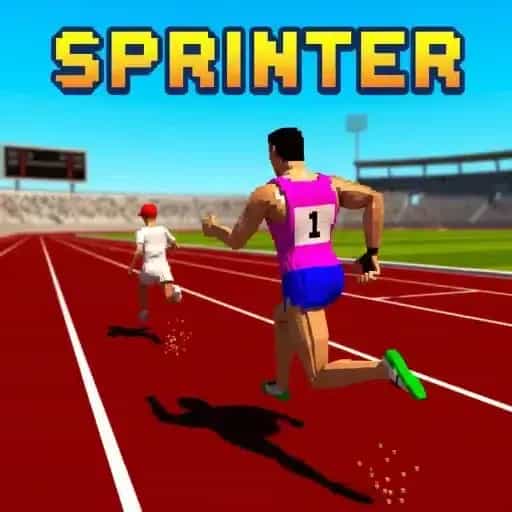
Play Sprinter Unblocked and race a 100-meter sprint by tapping the left and right arrow keys in turn. Opponents get faster, so play free in your browser.
What's in this guide
What You Do in Sprinter Unblocked
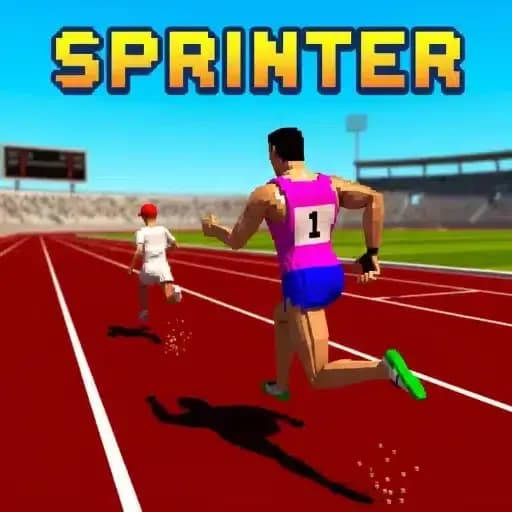
Sprinter Unblocked is a sports game built around a 100-meter sprint. You race against opponents, and your goal is to build speed fast enough to finish first. The game runs in your web browser as an HTML5 game, so you can start racing without installing anything on a PC, tablet, Chromebook or mobile device.
Each round is a single race. Your sprinter's speed depends on how steadily you alternate the Left and Right arrow keys. Win the race to move on to the next one. If you lose, you restart from the beginning, so every race rewards steady, accurate input rather than fast, uneven button presses.
How to Play Sprinter Unblocked
- Open the game in your browser and click the game area once so it receives your keyboard input.
- Start the first race. The opening races are the gentlest, so use them to learn the rhythm of alternating your presses.
- Press Left and Right in turn to build speed. Keep the two presses even instead of mashing one key, because uneven input slows your sprinter.
- Keep an eye on your position against the opponents. A single wrong key press can make your sprinter fall behind, and catching up takes time.
- Finish first to win the race and continue. If you lose, the game sends you back to the start to try again.
Sprinter Unblocked Controls
The game is controlled with the arrow keys on a keyboard and with taps on a touch screen. The table below lists the inputs described for the game.
| Action | Keys or Touch |
|---|---|
| Run forward and build speed | Alternate the Left and Right arrow keys |
| Run on a touch screen | Tap the screen rapidly, alternating taps |
| Wake up the controls if keys are ignored | Click the game area once, then continue |
Because the game runs in the browser, a click on the game area is often all it takes to start receiving key input. Make this a habit before each race.
What Changes Between Sessions
The game is listed with six levels, and the opponents become faster as you advance. The early races are gentle, so the challenge builds gradually with each stage. Each new level asks whether your rhythm can keep up with a quicker field, which means the same basic input has to be executed more consistently as you go.
The game is listed as single player, so every race is against computer-controlled opponents. There are no multiplayer or local two-player modes listed for it.
Why the Early Races Matter
The first few races are the best place to find a pace you can hold. Because the difficulty rises from one stage to the next, a rhythm that is comfortable at the start can feel too slow later, so use the easy races to practise keeping your presses even for the full distance.
Tips and Strategy for Sprinter Unblocked
- Keep a steady, even rhythm from the very start. Early bursts of mashing often leave you with less speed later in the race.
- Alternate the two arrow keys rather than holding one of them, since the game is built around alternating input.
- Watch your position against the opponents, not just your own keys. Falling behind is usually caused by one mistimed press.
- Use the first few races to find a pace you can hold across the full 100 meters, then aim to keep it through the later stages.
- On a touch screen, alternate taps between two spots on the screen in the same even way you would alternate the arrow keys.
- After a loss, treat the restart as practice. Each attempt is a chance to refine your timing before the next race.
- If the controls seem unresponsive, click the game area first before you start racing.
If you enjoy timing-based sports games, try Basketball Stars or Football Legends, or browse all Sports games.
More Games You'll Love
Controls
Frequently asked questions
What is Sprinter Unblocked?
What type of game is Sprinter Unblocked?
Can you play Sprinter Unblocked in a web browser?
"Sprinter Unblocked" and related names may be trademarks of their respective owners. This page is an informational game directory only; ZGames.io is not sponsored by or affiliated with trademark holders unless a specific game page says otherwise.
Gameplay Video: Sprinter Unblocked
OFFICIAL SOURCES & SITES
Player Reviews
No Reviews Yet
Be the first to share your feedback and rate this game!
Submit Your Review
Keep exploring