Play 12 MiniBattles Unblocked Online Free
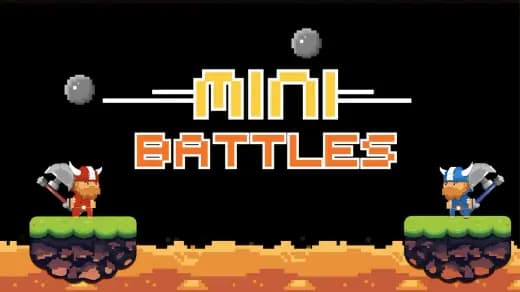
Play 12 MiniBattles Unblocked, a Action game available in your browser. Review the controls, features, and compatibility notes below, then choose Play when you are ready.
Advertisement
12 MiniBattles Unblocked




















Advertisement
Most Popular This Month
View All results »






























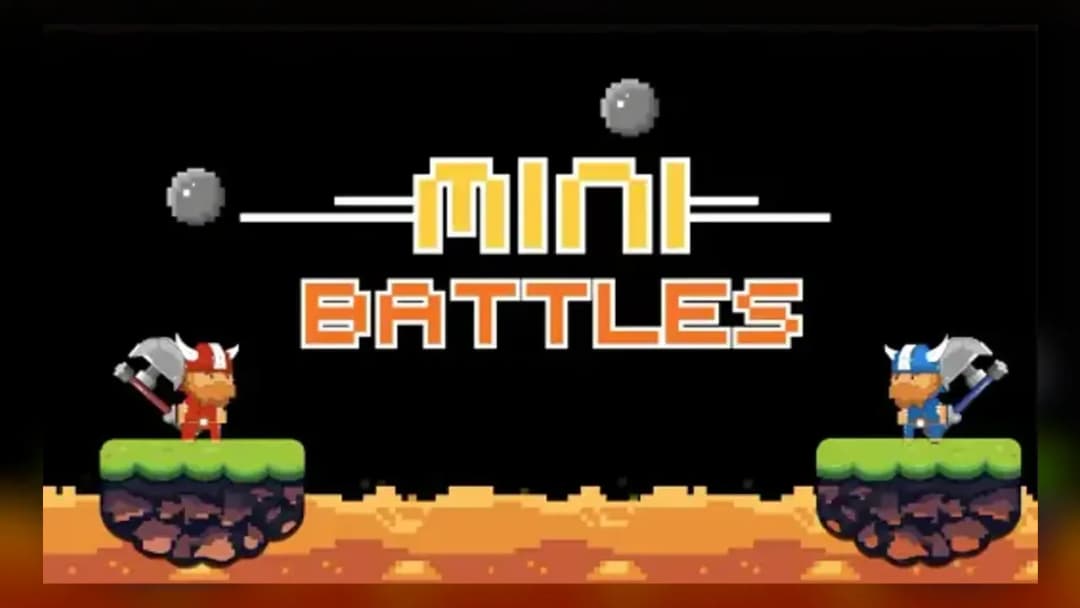
12 MiniBattles Unblocked
TECHNICAL SPECIFICATIONS
OPERATIONAL GUIDE
- 1. Identify Your Side
Check which character or object belongs to you as soon as the mini-game loads. The first second often decides whether you aim correctly, kick the ball, or move into danger.
- 2. Use the One-Button Action
Player 1 presses A and Player 2 presses L to perform the current action. Depending on the round, that same input can shoot, jump, strike, flap, or launch.
- 3. Read the Mini-Game Rule
Watch the arena and objective before mashing. Some rounds reward instant attacks, while others punish early presses by wasting your timing window.
- 4. Win the Duel Point
Score by eliminating the rival, reaching the target, or completing the round condition first. Keep focus between rounds because the next game appears quickly.
- 5. Adapt Every Round
Do not rely on one rhythm for all twelve challenges. Shift between patience, quick taps, and held timing based on the physics of the active battle.
CORE FEATURES
Advertisement
About 12 MiniBattles Unblocked
Play 12 MiniBattles online free, no download. Fast unblocked browser duels where one key shoots, jumps, kicks, or wins chaotic rounds.
What's in this guide
12 MiniBattles is a browser-native arcade battle game built around short, randomized two-player duels. The design uses HTML5-style instant play principles: the game loads inside a modern web browser, accepts keyboard or touch input, and avoids external installers. Its core appeal comes from one-button control mapping. One key can mean shoot in one round, jump in another, kick in another, or hold position until a moving hazard creates an opening.
Unlike large arena fighters, 12 MiniBattles compresses competition into tiny rulesets. Each round lasts seconds, not minutes. That structure makes it ideal for PC, mobile, tablet, and Chromebook sessions where players want fast local multiplayer without accounts, downloads, or long tutorials. The focus keyword matters because players searching for 12 MiniBattles usually want the same thing: a free-to-play browser game that starts quickly and produces immediate rematches.
Game Name12 MiniBattlesCategoryGamesTechnologyHTML5 / Browser NativePlatformsPC, Mobile, Tablet, ChromebookRequires Download?No, Instant PlayWhat's In This Guide
- About 12 MiniBattles
- Complete Controls & Mechanics
- Advanced Strategies & Tips
- How to Play Unblocked at School
- Platforms & Versions
- Known Glitches & Quirks
- Top Alternatives & Competitors
About 12 MiniBattles
12 MiniBattles belongs to the modern wave of compact HTML5 party games that replaced older Flash-era web titles. Its design philosophy rejects complicated move lists. Instead, it asks one sharp question every few seconds: can you understand a new rule faster than the player next to you? That question gives the game its staying power. The same two keys produce different outcomes, so the real skill sits in recognition, timing, and nerve.
The game’s physics feel intentionally simple. Characters and objects move with readable acceleration, broad collision boxes, and obvious impact states. That matters in a local multiplayer browser game because both players need to trust the result. When a shot lands or a ball crosses the goal line, the screen must communicate the outcome instantly. 12 MiniBattles uses clarity over simulation depth.
Culturally, the game fits classrooms, lunch breaks, family tablets, and Chromebook gaming because it creates competition from almost no setup. Two players can share one keyboard, argue over a narrow loss, and restart within seconds. That loop explains why searches for play 12 MiniBattles online, 12 MiniBattles free, and 12 MiniBattles browser game remain strong among quick-play arcade fans.
- Engine & Tech: The game uses browser-rendered 2D scenes with lightweight assets, so frame pacing stays stable on ordinary school laptops and low-end mobile hardware.
- Accessibility: One-button input lowers the mechanical barrier while still leaving room for reaction speed, baiting, and precise timing.
- Updates: Available versions may vary by host, but the core twelve-battle format remains the recognizable foundation.
12 MiniBattles Complete Controls & Mechanics
The standard control layout is brutally efficient: Player 1 uses A, and Player 2 uses L. On touch devices, each side of the screen usually acts as that player’s input zone. The entire mechanical vocabulary flows through that single command. Pressing can fire a weapon, jump a gap, swing a club, flap upward, or kick a ball depending on the active mini-game.
Input latency matters because the rounds resolve quickly. A browser that runs smoothly at a consistent frame rate gives both players cleaner feedback. Since 12 MiniBattles does not demand complex 3D rendering, modern Chrome, Edge, Firefox, and mobile browsers usually handle it well. The best setup uses a physical keyboard with two players seated comfortably, each with one finger ready.
Collision detection favors readability. Hits often register through simple rectangular or circular zones, not ultra-fine hitboxes. That choice makes the game feel fair during chaotic mini battles. Momentum is also simplified: objects accelerate, bounce, or fall in ways players can predict after one or two attempts. The result feels twitchy, but not random.
- Movement: Some mini-games move automatically, while others tie movement to the action key. On mobile, taps replace keyboard presses and should be short, clean, and deliberate.
- Action: Actions include shooting, jumping, swinging, kicking, and launching. The same button changes function with the rule set, so visual reading beats memorized combos.
- Mechanics: Gravity, recoil, ball bounce, and projectile travel use arcade physics. Learn the timing window, then press at the last useful moment.
Advanced Strategies & Tips
Strong players do not mash blindly. They identify the mini-game first, then choose a rhythm. Shooting rounds often reward patience because an early shot can miss while the opponent waits for alignment. Sports rounds reward contact timing because a late kick can redirect the ball harder than an early panic strike. Platform rounds reward controlled taps instead of long holds.
The best meta-strategy is emotional pressure. Because every round is short, a player who wins two fast points can make the opponent rush. Use that. Stay still when the game favors waiting. Fire immediately when the enemy spawns inside a clean lane. The game looks silly, but the psychology resembles a tiny fighting game: spacing, baiting, and punish timing matter.
High-score routing in 12 MiniBattles means reducing recognition time. After enough rounds, you should know the objective from the first frame: goalposts mean ball control, weapons mean line-of-sight, vertical hazards mean jump discipline. The less time you spend asking what is happening, the more time you have to execute.
- Perfect Your Timing: In projectile rounds, wait until your character’s aim or position lines up rather than firing the instant the round starts.
- Manage Resources/Speed: Treat each press like a resource. A wasted jump, flap, or swing usually creates the opponent’s opening.
- Avoid Common Mistakes: Do not stare at your opponent first. Locate your own character, then track the threat.
- Optimize Runs: Build a mental catalog of the twelve mini-games so the opening screen instantly tells you the winning condition.
How to Play Unblocked at School
12 MiniBattles unblocked refers to playing the game through a browser page that is not blocked by a school, library, or workplace network filter. Modern HTML5 games differ from old Flash files and downloadable executables. They run inside the browser sandbox, load assets from the page, and do not require installing software on the device.
This matters for Chromebooks. School-issued Chromebooks often block executable files and restrict extensions, but browser-native games can run locally in memory once the page loads. A 12 MiniBattles HTML5 game session uses standard web technologies, making it lighter and safer than unknown downloads. Always follow local rules, but technically the format supports quick access without modifying the device.
- What is Unblocked: It means the game page can load through the network filter and does not require a separate download.
- Chromebook Support: The game is Chromebook compatible because it runs through the browser and uses simple keyboard input.
- Browser Native: No executables are required, which avoids the biggest restriction on locked-down school machines.
Platforms & Versions
You can play 12 MiniBattles on Chromebook, Windows laptops, desktop PCs, tablets, and many mobile phones through a current browser. The PC keyboard experience remains the cleanest version because two players can share the A and L keys with minimal confusion. That physical split gives each player a clear side and reduces accidental taps.
12 MiniBattles mobile play works best on larger screens. Phones can run the game, but two-player same-screen controls feel cramped compared with tablets. The browser version keeps the strongest advantage: instant play, 12 MiniBattles no download access, and quick restarts after every duel.
- Browser Version: Best for fast loading, local multiplayer, and no installation on shared devices.
- Mobile Experience: Touch input adapts the one-button concept, though tablets provide more comfortable spacing for two players.
Known Glitches & Quirks
Like many compact arcade games, 12 MiniBattles can show small physics quirks when moving objects collide at high speed. A ball may rebound at a strange angle, a character may clip slightly during a close hit, or a projectile may appear to connect at the edge of its sprite. These quirks rarely break the game because rounds reset almost immediately.
Browser performance can also create tiny visual desyncs. If a device runs many tabs, drops frames, or scales the page oddly, animation may look less smooth. The underlying input still follows the same one-button logic, but competitive players should close extra tabs and keep the game window focused.
- Physics Quirks: Edge collisions can create funny bounces, especially in ball-based mini-games.
- Visual Desync: Minor sprite clipping may appear during fast impacts, but the round state usually resolves clearly.
Top Alternatives & Competitors
12 MiniBattles competes most directly with fast local multiplayer and reaction-based browser games. Compared with larger party games, it cuts setup to almost nothing. No character builds. No lobby waiting. No long tutorial. The pressure starts as soon as the random mini-game appears.
Against endless runners or precision platformers, 12 MiniBattles offers a different kind of difficulty curve. Games like Slope test long-form survival and steering consistency. Geometry Dash tests memorization and rhythm. 12 MiniBattles tests immediate adaptation against another human, which makes every mistake public and every victory louder.
- Getaway Shootout: Similar local chaos, but with more movement complexity and longer rounds.
- Rooftop Snipers: Comparable two-player tension, though 12 MiniBattles changes rules more often and rewards broader adaptation.
Similar Games on ZGames
If you enjoy 12 MiniBattles, you may also like these games:
Conclusion
12 MiniBattles works because it strips multiplayer competition down to reaction, recognition, and timing. The one-button design creates instant accessibility, while the rotating mini-games prevent matches from settling into one predictable pattern. It is simple to start and surprisingly sharp once both players understand the mind games.
Play 12 MiniBattles online free directly in your browser when you want fast local battles with no download, quick resets, and Chromebook compatible performance. The format suits short breaks, mobile gaming on tablets, and same-screen competition where every round produces an immediate rematch.
Advertisement
More Games You'll Love
Controls
Frequently asked questions
How many mini-games are in 12 MiniBattles?
What are the controls for both players in 12 MiniBattles?
What is the best strategy for winning rounds in 12 MiniBattles?
Can one player practice 12 MiniBattles without a second person?
"12 MiniBattles Unblocked" and related names may be trademarks of their respective owners. This page is an informational game directory only; ZGames.io is not sponsored by or affiliated with trademark holders unless a specific game page says otherwise.
OFFICIAL SOURCES & SITES
Player Reviews
No Reviews Yet
Be the first to share your feedback and rate this game!
Submit Your Review
Keep exploring