Play Arty Mouse & Friends Coloring Book Online Free
Play Arty Mouse & Friends Coloring Book, a Coloring Games game available in your browser. Review the controls, features, and compatibility notes below, then choose Play when you are ready.
Advertisement
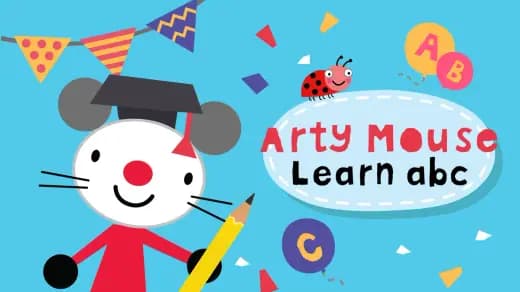
Arty Mouse & Friends Coloring Book
















Advertisement
Most Popular This Month
View All results »



































- Home
- Coloring Games
- Arty Mouse & Friends Coloring Book
Arty Mouse & Friends Coloring Book
TECHNICAL SPECIFICATIONS
OPERATIONAL GUIDE
- 1. Choose an Arty Mouse template
Select one of the available pre-drawn pictures featuring Arty Mouse and friends.
- 2. Set the color and brush size
Pick a color, then choose a smaller or larger brush according to the area you want to cover.
- 3. Apply or erase color
Click and drag with a mouse or drag a finger across the picture, switching to the eraser when a mark needs to be removed.
- 4. Save the finished artwork
Select the save option after completing the picture so the result can potentially be kept or printed.
CORE FEATURES
Advertisement
About Arty Mouse & Friends Coloring Book
Color Arty Mouse scenes with selectable brush sizes and an eraser. Pick Scribble, Stripy, Dot, Rainbow Birds, or Spiro, then save your art. Play online...
What's in this guide
Arty Mouse & Friends Coloring Book online is an open-ended art activity where you choose a pre-drawn character picture, select a color and brush size, and paint by dragging across the image. An eraser removes unwanted marks, while the save option preserves finished artwork for possible printing.
The shorter title Arty Mouse Coloring Book refers to the same HTML5 game. Searches for Arty Mouse Coloring Book online, play Arty Mouse Coloring Book, and Arty Mouse Coloring Book free commonly point to this no-download browser activity rather than the separate Arty Mouse Colors Android app.
| Game | Arty Mouse & Friends Coloring Book |
|---|---|
| Category | coloring-games |
| Developer | MarketJS |
| Platforms | Desktop computers, smartphones, and tablets |
| Mode | Single-player creative activity |
| Controls | Mouse or touchscreen |
How Arty Mouse coloring works
The objective loop is simple: choose a template, pick a color, set a brush size, apply strokes, correct them with the eraser, and save the result. There is no verified timer, score, competitive mode, numbered level sequence, or losing condition. Unlike challenge-based coloring games, completion is defined by the player rather than a points threshold.
Arty Mouse brush sizes, colors, and saving
Different brush sizes let players alternate between broad areas and smaller details. The game does not document an automatic color-fill rule, so use controlled pointer or finger strokes near outlines. If you searched for Arty Mouse Coloring Book how to play, the essential order is color first, brush size second, and drawing input third. A finished picture can be saved and may then be printed through the device's normal image or printing tools.
Arty Mouse Coloring Book controls
On desktop, click interface tools to select them, then click and drag to color. On a phone or tablet, tap a tool and drag a finger over the drawing. No verified keyboard shortcuts or controller mappings are available. For how to erase mistakes in Arty Mouse Coloring Book, select the eraser and drag over the unwanted stroke; a smaller size gives more control around narrow details.
Arty Mouse friends and creative structure
The featured cast includes Scribble the dog, Stripy the cat, Dot the bear, Rainbow Birds, and Spiro the snail. They belong to the official Arty Mouse early-learning property, but this activity has no verified story campaign, dialogue progression, unlockable characters, or achievements. That makes it a preschool coloring activity rather than a level-driven adventure.
Precise Arty Mouse coloring tips
- Block in large areas first: choose a larger brush and cover open spaces before working near narrow outlines.
- Reduce the brush near edges: switch sizes before coloring faces, paws, feathers, or Spiro's curved shell details.
- Erase in short passes: use small drags instead of sweeping across a corrected area, then return to the selected color.
- Save only after checking the picture: inspect the drawing at its displayed size and clean visible stray strokes before using the save control.
Players asking how to save a picture in Arty Mouse Coloring Book should use the in-game save option; the resulting browser or device prompt may vary. If a school network blocks the host, the word “unblocked” does not guarantee access—availability is controlled by that network.
Arty Mouse browser and child-suitability notes
MarketJS designed its licensed Arty Mouse HTML5 games for phones, tablets, and desktop computers. This browser title should not be confused with Arty Mouse Colors, a separate TapTapTales Android product whose 12 activities, mini-games, offline mode, animation, and sound are not verified features here.
The official property primarily targets ages 3–6 and early learning through art. Simple pointer input and selectable brush sizes make the game suitable for supervised young users exploring kids games. Retrieved sources do not establish account requirements, purchases, formal accessibility compliance, or keyboard-only support, so adults should review the current host page and device behavior.
More coloring games after Arty Mouse
- Color Crash Unblocked — adds a faster color-focused challenge after free-form drawing.
- Rainbow Castle Color Match — emphasizes matching colors rather than painting character templates.
- Mandala Coloring Book — offers more intricate patterns for players ready for finer coloring work.
- Cactus Pinch — provides a different touch-friendly activity built around precise input.
Arty Mouse stands out by keeping the full activity centered on choosing a friend, adjusting the brush, correcting strokes, and saving a personal picture. With no verified score or failure state, the artwork itself is the result.
Advertisement
More Games You'll Love
Controls
Frequently asked questions
How do you color a picture in Arty Mouse & Friends Coloring Book?
How do you erase mistakes in Arty Mouse & Friends Coloring Book?
How do you save and print artwork in Arty Mouse & Friends Coloring Book?
Does Arty Mouse & Friends Coloring Book have levels or a score?
Is Arty Mouse & Friends Coloring Book the same as the Arty Mouse Colors app?
"Arty Mouse & Friends Coloring Book" and related names may be trademarks of their respective owners. This page is an informational game directory only; ZGames.io is not sponsored by or affiliated with trademark holders unless a specific game page says otherwise.
Gameplay Video: Arty Mouse & Friends Coloring Book
OFFICIAL SOURCES & SITES
Player Reviews
No Reviews Yet
Be the first to share your feedback and rate this game!
Submit Your Review
Keep exploring