Play Color Crash Unblocked Online Free
Play Color Crash Unblocked, a Coloring Games game available in your browser. Review the controls, features, and compatibility notes below, then choose Play when you are ready.
Advertisement
Color Crash Unblocked


















Advertisement
Most Popular This Month
View All results »


































- Home
- Coloring Games
- Color Crash Unblocked
Color Crash Unblocked
TECHNICAL SPECIFICATIONS
OPERATIONAL GUIDE
CORE FEATURES
Advertisement
About Color Crash Unblocked
Play Color Crash online for free with no download required. This unblocked browser game tests fast color matching, sharp timing, and mobile-friendly...
What's in this guide

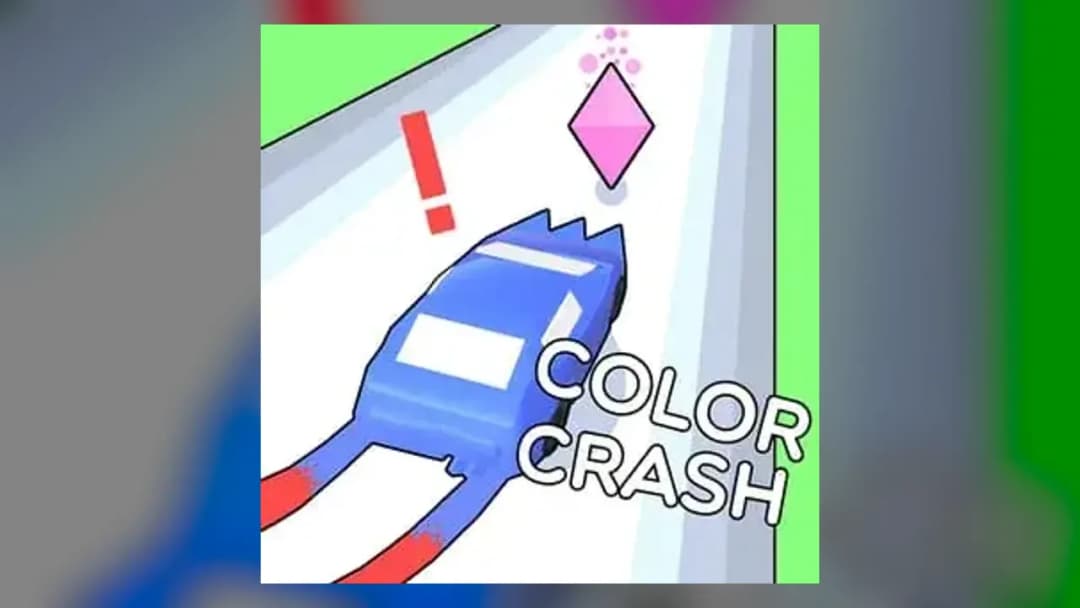
Color Crash is an HTML5 browser game built around rapid color recognition, precise input timing, and short-session replay loops. It runs directly in modern browsers on PC, mobile, tablet, and Chromebook hardware without any installation step, which makes it a strong fit for instant play and lightweight gaming. The core loop depends on fast visual parsing. You read the color state, respond with the correct action, and keep the run alive as the pace tightens.
Because Color Crash runs as a browser game, it benefits from the efficiency of modern web rendering and device-agnostic input handling. The game keeps its load light enough for low-end machines while still feeling responsive on touchscreens and keyboards. That matters more than flashy presentation. The appeal comes from timing, control precision, and the pressure created by consecutive correct inputs in a compact HTML5 game structure.
Game NameColor CrashCategoryGamesTechnologyHTML5 / Browser NativePlatformsPC, Mobile, Tablet, ChromebookRequires Download?No, Instant PlayWhat's In This Guide
- About Color Crash
- Complete Controls & Mechanics
- Advanced Strategies & Tips
- How to Play Unblocked at School
- Known Glitches & Quirks
- Top Alternatives & Competitors
About Color Crash
Color Crash belongs to the modern class of reaction games that strip away unnecessary systems and focus on a single, measurable skill: instant recognition. The player sees a color state, identifies the correct response, and commits to that response before the window closes. That design looks simple on the surface, but it creates a sharp difficulty curve because the game measures decision time with very little forgiveness. Every input matters. Every delay becomes visible in the score.
The structure of Color Crash reflects a clean arcade philosophy. Instead of asking players to memorize large maps or manage long inventories, it compresses the challenge into quick rounds that reward pattern recognition and hand-eye coordination. That makes the game especially effective in browser form. A session starts fast, the learning curve feels immediate, and the score chase gives every attempt a reason to continue. This is why Color Crash free play works so well as a repeatable browser game: the core action stays readable, but the tempo steadily tightens.
From a technical angle, Color Crash fits the strengths of HTML5 game development. It can deliver consistent input response through standard browser APIs, and it can render clean color transitions without needing a heavy engine. For players, that means the game feels snappy on desktop and stable on mobile gaming devices. For schools and shared devices, it means Chromebook compatible performance with low memory overhead. The result is a compact arcade loop with enough pressure to support score chasing, speed practice, and short competitive bursts.
- Engine & Tech: The game uses browser-native rendering and lightweight animation logic, which helps maintain stable frame delivery and low latency on modern devices. Color shifts and prompt updates remain readable even on modest hardware.
- Accessibility: Color Crash runs well on low-end devices because it avoids heavy assets, large installs, and complicated physics scenes. Chromebooks can handle the input loop and visual feedback without the drag common in larger 3D browser titles.
- Updates: The page is built for instant web delivery, so improvements can focus on responsiveness, balance, and compatibility rather than large client downloads. That keeps the experience lean and easy to access.
Complete Controls & Mechanics
Color Crash keeps the control scheme intentionally direct. The player does not wrestle with a long button map or layered menus. Instead, the game asks for quick recognition and a matching action, which can be handled with keyboard keys on desktop or taps on touch devices. That simplicity creates a highly readable skill ceiling because the challenge comes from execution speed, not from remembering complicated commands. The game rewards players who can process the screen instantly and trust their first reaction.
The feel of the game depends on tight input timing. In a strong run, the controls seem almost invisible because each response lands exactly when the color prompt changes. That matters in an HTML5 game, where browser responsiveness and device performance can affect the rhythm. Color Crash benefits from a clean collision model between input and state change: if you press or tap at the wrong moment, the game registers the mistake immediately. There is no ambiguity. That clarity makes every success feel earned.
Momentum in Color Crash is psychological rather than physical, but it still behaves like a classic arcade system. Once the pace rises, your brain starts predicting the next input before the prompt fully settles on screen. That is where the game gets dangerous. You stop reacting and start anticipating, which can lead to streak-breaking errors. The best players build a calm rhythm, keep their hands relaxed, and avoid forcing inputs before the state is confirmed.
- Movement: Use the keyboard or touch input to select the correct color response as soon as the prompt appears. On desktop, keep your fingers positioned for quick taps rather than moving them across the keyboard between turns.
- Action: Match the displayed color state with the correct control at the exact moment it appears. The game rewards decisive input, so clean single presses beat frantic repeated clicks every time.
- Mechanics: Color Crash uses rapid state changes and strict hit detection on timing windows. The difficulty comes from shrinking reaction margins, so the game feels faster not because the map changes, but because the allowed error window narrows.
Advanced Strategies & Tips
High-level Color Crash play depends on rhythm control. Do not watch the screen as a static image. Track the pace of transitions. Once you understand how quickly the game cycles between prompts, you can stop wasting attention on old states and start reacting to the next one sooner. That is the real skill gap in a reaction-based browser game. Players who rely on panic taps usually fail early. Players who maintain a calm visual cadence survive longer and score higher.
Another major advantage comes from reducing hand travel. On keyboard, keep your fingers anchored where they can reach the necessary inputs without lifting off between every prompt. On mobile, avoid overextending your thumb. Small, precise motion keeps response time low and cuts down on accidental misreads. The game punishes hesitation more than speed, so clean movement beats chaotic speed every time. That principle also helps on Chromebook devices, where touchpad delays can hurt sloppy players.
Advanced runs often come down to error prevention. The best route is not the most aggressive route. It is the most consistent one. If Color Crash presents a sequence that feels ambiguous, slow down your internal rhythm for a split second and confirm the cue. A single correct input preserves the streak and protects the score multiplier effect that comes from sustained accuracy. One bad guess costs more than two careful inputs. That tradeoff defines the meta.
- Perfect Your Timing: Commit only after the color state fully appears. Partial reads cause most streak breaks, especially when the tempo increases and the screen changes faster than your reflexes can comfortably process.
- Manage Speed: Build a steady tempo early. If the opening phase feels easy, use it to lock your rhythm instead of rushing. That foundation helps when the game accelerates and the reaction window gets tighter.
- Avoid Common Mistakes: Do not double-tap out of panic. Rapid extra inputs often convert a recoverable moment into a failed attempt, especially on touch devices where repeated taps can register too aggressively.
- Optimize Runs: Treat every prompt as a fresh decision. Do not guess based on the last color. The safest high-score method is to identify each state independently and preserve consistency through the entire run.
How to Play Unblocked at School
Color Crash works well as an unblocked browser game because it relies on standard web delivery rather than installed software. That matters in restricted environments where executable files, legacy plug-ins, and large downloads trigger filters. HTML5 games live inside the browser session itself, so they load like normal web content and avoid the overhead of desktop installers. For school use, that means simpler access and far fewer compatibility issues than older game formats.
Chromebook support is a major part of that equation. Chromebooks handle browser-native titles efficiently because the game runs in the browser, uses lightweight assets, and does not demand a local client install. Color Crash can therefore stay responsive in a managed device environment. The experience depends more on browser performance and input speed than on raw graphics power, which is exactly why this type of game has become so popular for quick breaks and low-friction play.
- Chromebook Support: Fully compatible with school devices because it runs locally in RAM via browser.
- Browser Native: No executables required, bypassing strict network filters safely.
Known Glitches & Quirks
Color Crash is built around a streamlined web loop, so its quirks usually come from timing rather than broken logic. On slower devices, visual updates can appear slightly behind the player’s tap rhythm, which makes the game feel harsher than it really is. That is not a design flaw as much as a limitation of browser scheduling, touch input, and device refresh consistency. Players who understand that can adjust their rhythm and avoid blaming the game for a timing mismatch.
There can also be minor presentation quirks when the browser tab loses focus or when a device stutters during an input-heavy run. In those cases, the color state may appear to change before the player expects it, which can create accidental misreads. Speed-focused players sometimes use those tiny inconsistencies to study pacing differences across devices, but the smartest approach is simply to keep the game in a stable window and avoid multitasking during a serious run.
- Physics Quirks: The game’s main quirk is timing sensitivity. If a device drops frames, the player may feel a slightly tighter reaction window, which can be useful to know during longer streak attempts.
- Visual Desync: Minor clipping or delayed redraws can happen on weak connections or busy devices, especially if the browser is handling several tabs at once.
Top Alternatives & Competitors
If Color Crash clicks with you, the closest competitors usually come from reaction and arcade timing games. The main comparison point is how much information the game asks you to process per second. Some games add movement, lane switching, or obstacle avoidance. Color Crash stays focused on color recognition, which gives it a cleaner skill profile and a lower learning barrier. That makes it easier to start, but still hard to master.
Compared with heavier arcade titles, Color Crash feels more surgical. There is less environmental chaos and more emphasis on exact response. That sharper focus helps it stand out for players who want a browser game with immediate feedback and very little setup. It also makes the game more Chromebook friendly than action titles that depend on continuous animation, complex physics, or fast 3D rendering. In practice, that means Color Crash competes best against other instant-play skill games, not giant open-ended arcade titles.
- Competitor 1: Geometry Dash leans on rhythm platforming, jumps, and memorized patterns. Color Crash is more direct because it asks for color recognition and reaction speed instead of level navigation.
- Competitor 2: Slope focuses on continuous steering and spatial control. Color Crash replaces motion control with decision timing, which creates a different kind of stress and a cleaner mobile-friendly loop.
Similar Games on ZGames
If you enjoy Color Crash, you may also like these games:
Conclusion
Color Crash is built for players who want a clean, fast browser game with no download and no wasted time. It runs as a lightweight HTML5 game, supports mobile and Chromebook play, and keeps the action centered on precise color matching. That makes it easy to start, but hard to master.
If you want instant play, Color Crash delivers exactly that. Open it in your browser, stay sharp, and focus on the next prompt. The best runs come from steady reactions, not lucky guesses, and that is why Color Crash stays effective as a free-to-play, low-friction challenge.
Advertisement
More Games You'll Love
Controls
Frequently asked questions
How does scoring work in Color Crash?
What control style does Color Crash use on mobile devices?
Is Color Crash suitable for Chromebook gameplay?
What makes Color Crash harder as the run continues?
"Color Crash Unblocked" and related names may be trademarks of their respective owners. This page is an informational game directory only; ZGames.io is not sponsored by or affiliated with trademark holders unless a specific game page says otherwise.
Gameplay Video: Color Crash Unblocked
OFFICIAL SOURCES & SITES
Player Reviews
No Reviews Yet
Be the first to share your feedback and rate this game!
Submit Your Review
Keep exploring