Play Geometry Arrow 2 Online Free
Play Geometry Arrow 2, a Adventure game available in your browser. Review the controls, features, and compatibility notes below, then choose Play when you are ready.
Advertisement


















Advertisement
Most Popular This Month
View All results »

































Geometry Arrow 2
TECHNICAL SPECIFICATIONS
OPERATIONAL GUIDE
CORE FEATURES
Advertisement
About Geometry Arrow 2
Play Geometry Arrow 2 online free with no download. Guide the arrow through spike tunnels and portals in this unblocked browser HTML5 rhythm precision...
What's in this guide
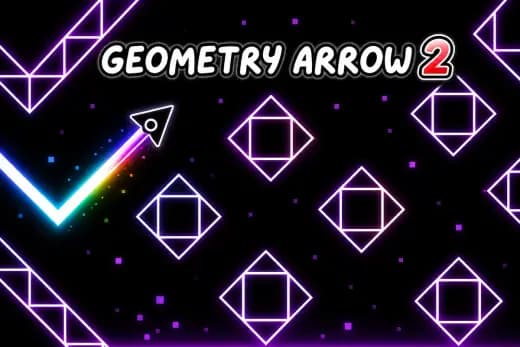
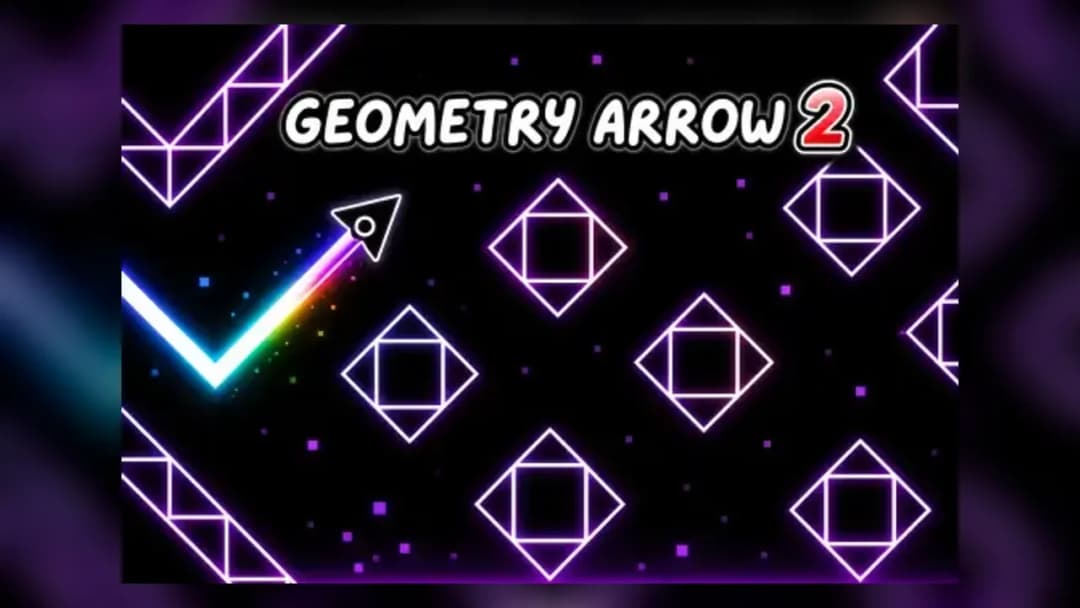
Geometry Arrow 2 is a browser-based precision arcade game built around sharp input timing, geometric hazard layouts, and instant restart loops. The game runs as an HTML5 game inside modern browsers, which means players can launch it on PC, mobile, tablet, and Chromebook without installing an executable. Its core design follows the wave-style movement language made popular by rhythm platformers: hold to climb, release to drop, and thread a narrow arrow through spikes, portals, slopes, and moving visual patterns.
The game favors mechanical clarity over decoration. Every input changes the arrow's vertical path immediately, so success depends on hand rhythm, obstacle reading, and memory. Because the engine uses browser-native rendering rather than legacy Flash, Geometry Arrow 2 supports instant play, fast resets, touch controls, and stable performance across low-power devices. It works especially well as a free-to-play browser game for short sessions because a failed run restarts quickly and teaches the next attempt.
Game NameGeometry Arrow 2CategoryGamesTechnologyHTML5 / Browser NativePlatformsPC, Mobile, Tablet, ChromebookRequires Download?No, Instant PlayWhat's In This Guide
- About Geometry Arrow 2
- Complete Controls & Mechanics
- Advanced Strategies & Tips
- How to Play Unblocked at School
- Known Glitches & Quirks
- Top Alternatives & Competitors
About Geometry Arrow 2
Geometry Arrow 2 belongs to the modern school of reaction platformers that turn one-button control into a demanding skill test. Instead of giving the player a large move set, it compresses the challenge into vertical pressure. The player reads the shape of a tunnel, taps or holds with restraint, and survives by treating each corridor as a rhythm pattern.
The design philosophy comes from arcade repetition. A crash does not end the session; it marks the exact place where the player's timing failed. That loop creates fast learning. The first run feels chaotic, the second identifies danger zones, and later attempts become a controlled route through memorized hazards. The best sections force tiny corrections rather than random guesses.
Its physics feel intentionally digital. The arrow does not float like a realistic aircraft. It snaps into a diagonal climb when input stays active and drops when input stops, giving the game a sawtooth movement pattern. That hard directional language makes collision detection easy to understand: touch a spike, wall, or unsafe surface and the run ends.
- Engine & Tech: The HTML5 / browser-native build uses lightweight 2D rendering, simple collision shapes, and quick scene resets. A stable frame rate matters because the player reads tiny spacing changes between the arrow and hazards.
- Accessibility: Chromebook and low-end laptop support works well because the game relies on short assets, simple geometry, and local browser execution rather than heavy downloads or external launchers.
- Updates: Hosted versions may vary, but the sequel format usually expands the first game's idea with more patterns, sharper transitions, and additional character behavior such as wheel-style platform sections.
Geometry Arrow 2 Complete Controls & Mechanics
The control model centers on pressure. Hold Space, the mouse button, or the screen and the arrow climbs. Release and it falls. That sounds simple, but the hand movement must stay measured. Long holds slam the arrow into ceilings. Nervous tapping drops it into floor spikes. The game rewards short, deliberate pulses.
Input latency matters more here than in slower platformers. A clean browser game should translate each tap into motion within the next frame, so players can correct their route before a collision. On mobile, thumb placement also matters. Covering the arrow with your finger makes tight corridors harder, so most players tap the lower side of the screen and watch the lane ahead.
Collision detection uses the visible hazard field as the rulebook. Spikes, borders, and solid geometric blocks punish contact instantly. Portals and form changes alter the player's rhythm by changing how motion behaves. Wheel sections ask for jump timing instead of continuous flight, so the player must switch from pulse control to platform timing without hesitation.
- Movement: Use Space, left mouse, or touch to climb with the arrow; release to descend. Keyboard and touch both work, but keyboard often gives cleaner rhythm on high-speed sections.
- Action: Tap to jump in wheel segments and time each leap from platform edges. The best jumps start late enough to clear the gap but early enough to land before the next obstacle.
- Mechanics: Gravity-like descent, diagonal climb, instant death collisions, and portal transitions define the challenge. Momentum feels strict, not slippery, which supports repeatable speedrun-style routing.
Advanced Geometry Arrow 2 Strategies & Tips
Advanced play starts before the obstacle reaches the arrow. New players stare at the character. Strong players stare two hazards ahead. This changes everything. When you read the corridor early, your hands make smaller corrections, and smaller corrections keep the arrow centered inside narrow safe lanes.
The most reliable technique uses pulse groups. Instead of reacting to every spike as a separate problem, split a level into patterns: three quick taps, one longer hold, a release through a dip, then a recovery tap. This mental chunking reduces panic. It also lets you repeat hard sections with the same hand rhythm after each restart.
High-score routing depends on restraint. Oversteering causes most late-run failures because the player tries to fix a minor angle with a major input. In steep tunnels, release sooner than your instinct suggests. In rising corridors, hold just long enough to cross the danger line, then stop. Clean Geometry Arrow 2 play looks calm, even when the level moves fast.
- Perfect Your Timing: Use micro-holds in narrow corridors. A tap that lasts a fraction too long changes the arrow's diagonal and can erase the safe gap before you notice it.
- Manage Resources/Speed: Treat speed as a reading problem. When the level accelerates visually, reduce input size rather than tapping faster.
- Avoid Common Mistakes: Do not chase the center line after every wobble. Accept small drift if the next hazard gives you room to correct safely.
- Optimize Runs: Memorize portal exits. Many failures happen immediately after transitions because players keep using the previous section's rhythm.
How to Play Unblocked at School
A modern unblocked browser game works differently from old Flash games or installed PC software. Flash required a plugin that many networks blocked for security reasons. Executable games require local installation permissions. An HTML5 game loads inside the browser, uses standard web technologies, and runs most of its logic in the device's memory after the page loads.
That technical structure explains why Geometry Arrow 2 unblocked versions often work on school Chromebooks where traditional game files fail. The browser handles rendering, input, audio, and storage. No separate launcher runs in the background. Network filters can still block any website, but the game format itself remains lightweight, safe, and Chromebook compatible.
- Chromebook Support: Fully compatible with school devices because it runs locally in RAM via browser after loading required assets.
- Browser Native: No executables required, which avoids the installation barrier that blocks many older downloadable games.
Known Glitches & Quirks
Geometry Arrow 2 depends on tight collision boxes, so tiny quirks can appear at high speed. A player may feel clipped by a spike tip when the visible gap looks survivable, especially if the arrow enters at a steep angle. This usually reflects strict hitbox overlap rather than a random failure.
Visual desync can also happen on older devices when frame pacing stutters. The game may appear to skip a sliver of movement, making a clean input look late. Closing extra tabs, lowering browser load, and using full-screen mode can improve consistency. Speedrunners often prefer the same device and browser because muscle memory relies on predictable timing.
- Physics Quirks: Very shallow passes near spike corners may feel inconsistent because diagonal movement changes the contact point quickly.
- Visual Desync: Minor graphic clipping or late-looking collisions can occur during lag spikes, especially on overloaded school laptops.
Top Alternatives & Competitors
Geometry Arrow 2 competes with precision runners that value repetition, rhythm, and instant failure. Compared with broader endless runners, it gives the player less freedom but more exact control. That trade makes each death feel learnable. You rarely wonder what happened; you know which hold or release caused the crash.
Against rhythm platformers, Geometry Arrow 2 feels more focused on arrow flight than spectacle. It trims the formula down to spike lanes, portals, and timing shifts. Players who enjoy online multiplayer may want different arcade games, but players who want solo mastery, mobile gaming convenience, and no download access get a cleaner fit here.
- Competitor 1: Geometry Dash offers broader level variety, music synchronization, and multiple forms. Geometry Arrow 2 narrows the challenge around arrow handling and fast corridor reading.
- Competitor 2: Slope uses 3D rolling physics and continuous steering. Geometry Arrow 2 uses 2D pulse control, harsher collision rules, and more memorized obstacle routing.
Similar Games on ZGames
If you enjoy Geometry Arrow 2, you may also like these games:
Geometry Arrow 2 Conclusion
Geometry Arrow 2 succeeds because it makes one input feel dangerous, readable, and fair. The player holds, releases, jumps, restarts, and improves. Every level section teaches a rhythm, and every crash points to a specific correction.
Play Geometry Arrow 2 online free directly in your browser when you want a sharp HTML5 game with instant play, mobile support, Chromebook compatibility, and no download requirement. It wastes no time. The arrow moves, the spikes punish, and your next run starts immediately.
Advertisement
More Games You'll Love
Controls
Frequently asked questions
How many levels does Geometry Arrow 2 have?
What is the difference between arrow mode and wheel mode in Geometry Arrow 2?
What is the best technique for narrow spike tunnels in Geometry Arrow 2?
Does Geometry Arrow 2 have multiplayer or co-op modes?
"Geometry Arrow 2" and related names may be trademarks of their respective owners. This page is an informational game directory only; ZGames.io is not sponsored by or affiliated with trademark holders unless a specific game page says otherwise.
Gameplay Video: Geometry Arrow 2
OFFICIAL SOURCES & SITES
Player Reviews
No Reviews Yet
Be the first to share your feedback and rate this game!
Submit Your Review
Keep exploring