Play geometry dash classic Online Free
Play geometry dash classic, a Rhythm Games game available in your browser. Review the controls, features, and compatibility notes below, then choose Play when you are ready.

geometry dash classic
















Most Popular This Month
View All results »

























Related Tags
- Home
- Rhythm Games
- geometry dash classic
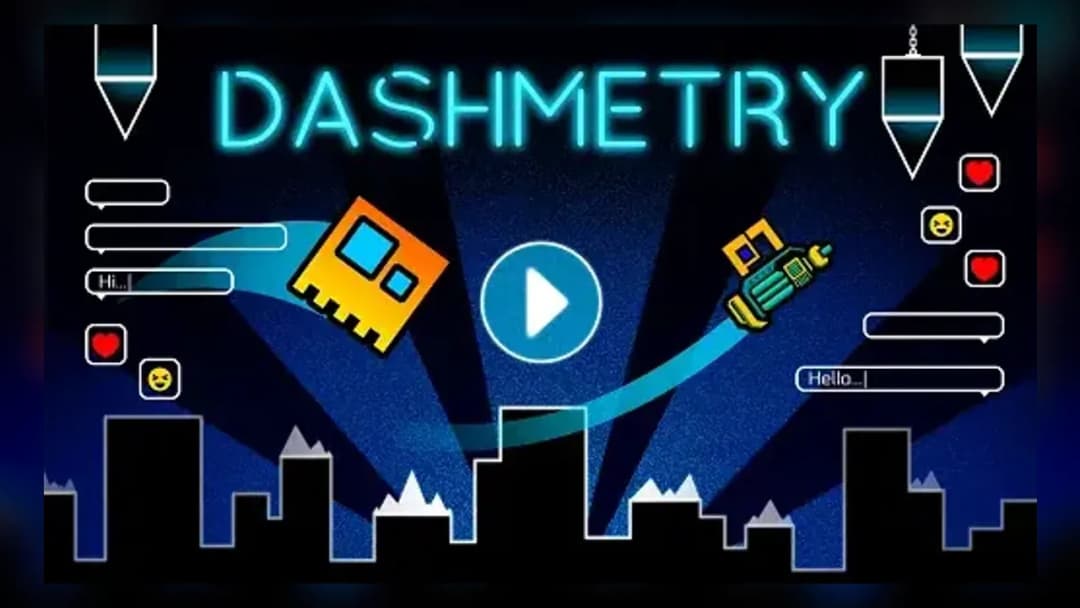
geometry dash classic
Game Details
How to Play
- 1. Start the first level
Open the game in your browser and click the play area to begin the first level.
- 2. Read the beat
Watch the early obstacles and listen to the music so you can match your jumps to the rhythm.
- 3. Jump over hazards
Click at the right moment so the cube clears each spike or obstacle.
- 4. Retry after a crash
When you hit a hazard, restart the level and repeat the section until you can clear it.
Game Features
About geometry dash classic
Play geometry dash classic online and click to jump through challenging levels filled with obstacles. Time every click. Play it free in your browser.
What's in this guide

geometry dash classic is a browser rhythm platformer built around one action: clicking to jump. You guide a cube past spikes and obstacles, and each jump has to be timed to the music. It is listed in the Rhythm Games category and is tagged as arcade, platformer, music and challenge, so expect short, demanding attempts where timing matters more than anything else.
What you do in geometry dash classic
Your goal is to get the cube through each level without touching a spike or obstacle. You do not steer the cube around hazards. Instead, you decide when to click so that the jump carries the cube over the next danger. The music is part of the design: the obstacles are synchronized to the beat, so listening to the rhythm is as useful as watching the screen.
A round is a loop of short attempts. You start a level, learn where the hazards sit and when they arrive, make your jumps, and try again whenever the cube crashes. Because every run depends on a handful of timed clicks, most progress comes from repeating the same section until your timing becomes reliable.
How to Play geometry dash classic
- Open the game in a browser window and click the play area to begin. The game runs entirely in the browser, so there is nothing to install.
- Before you jump, watch the first obstacles and listen to the beat so you know the rhythm of the level.
- Click at the moment the cube reaches each spike or block, so the jump lifts it clear of the hazard and it lands safely on the other side.
- When the cube hits a hazard, the attempt is over. Start again, and keep working through the level until you reach its end.
There is no separate score system described for this game, so the goal of a session is simply to reach the end of each level with the cube still intact.
geometry dash classic Controls
| Action | Keys |
|---|---|
| Jump | Click (click to jump) |
The game uses a single jump control, so the whole game is learning when to click.
What changes between sessions
Each level brings its own sequence of spikes and obstacles, and the music and design change with the level. The challenge comes from the timing of those sequences, so later levels test the same skills in new arrangements rather than adding new buttons. Replaying a level is the main way to improve, because the same patterns return on every attempt.
Tips and strategy
- Listen to the beat and time your clicks to the rhythm rather than reacting to each hazard at the last instant.
- Watch a section a few times before you attempt it, noting how far ahead of each obstacle you need to click.
- Keep your clicks steady. A consistent rhythm is easier to repeat than rushed, uneven taps.
- After a crash, restart straight away and focus on the section that ended the run.
- Practise the hardest part of a level on its own before attempting the whole level.
- Keep your attention on the cube and the upcoming hazards, since the next jump depends on what is ahead.
If you enjoy rhythm-based challenges, you can compare this game with other titles in the same family: Geometry Dash Meltdown, Geometry Dash Online and geometry dash lite. You can also browse more games in the Rhythm Games category.
More Games You'll Love
Controls
Frequently asked questions
How do you jump in geometry dash classic?
What do you need to avoid in geometry dash classic?
Is geometry dash classic a rhythm game?
"geometry dash classic" and related names may be trademarks of their respective owners. This page is an informational game directory only; ZGames.io is not sponsored by or affiliated with trademark holders unless a specific game page says otherwise.
Gameplay Video: geometry dash classic
OFFICIAL SOURCES & SITES
Player Reviews
No Reviews Yet
Be the first to share your feedback and rate this game!
Submit Your Review
Keep exploring