Play Dead Land: Survival Online Free
Play Dead Land: Survival, a Casual game available in your browser. Review the controls, features, and compatibility notes below, then choose Play when you are ready.














Most Popular This Month
View All results »


























Dead Land: Survival
Game Details
How to Play
- 1. Start the game
Open the Dead Land: Survival page and press start to load the game in your browser.
- 2. Follow the tutorial
Work through the on-screen tutorial to learn the actions the game expects from you.
- 3. Use the shown controls
Use the mouse, keyboard or touch controls the game displays for your device.
Game Features
About Dead Land: Survival
Play Dead Land: Survival in your browser and fight through a zombie apocalypse. Follow the on-screen tutorial and use mouse, keyboard or touch. Play it free.
What's in this guide
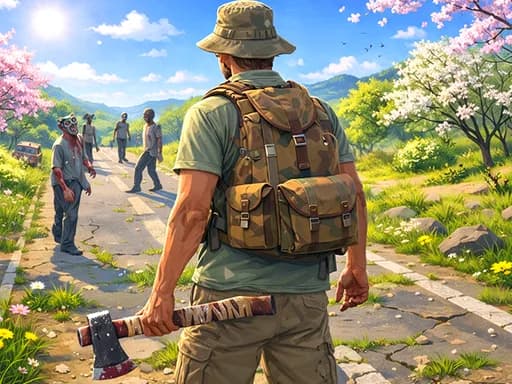
What you do in Dead Land: Survival
Dead Land: Survival is a browser game you can open from ZGames.io and play straight away. It is tagged as an RPG with a midcore feel, so it is best approached as a game you learn in stages rather than a single quick action. The core loop is simple: start the game, follow the on-screen tutorial, learn the controls it shows you, and keep playing once the tutorial hands control back to you. Each session starts from the same place, with the game teaching its systems before you rely on them.
Dead Land: Survival is an HTML5 game with no download needed, so you can start it in a supported browser on a PC, tablet, Chromebook or mobile device. The game works across these devices, but the controls you use depend on the input your device offers. Read the tutorial prompts closely on each new device before you make decisions.
How to Play Dead Land: Survival
- Start the game from the page and let the window load in your browser.
- Follow the on-screen tutorial from beginning to end, since it introduces the actions you will use throughout play.
- Try each control the game shows, using mouse, keyboard or touch depending on your device.
- Keep playing and read any prompts about your progress and next goals as they appear.
The game's own prompts are the best guide to progress. Check the goals shown inside the game for what counts as success, and treat the tutorial as the first stage of play. Once you understand the controls, the remaining goals are the ones the game presents on screen.
Dead Land: Survival Controls
Dead Land: Survival accepts mouse, keyboard or touch input, and the in-game tutorial shows the controls that apply to the device you are using. Because the layout follows your input, check the tutorial again if you switch from a computer to a touchscreen tablet or phone. Chromebook players should use whatever input the game displays for that setup.
What changes between sessions
This page does not describe separate levels, modes or characters, so treat each session as a continuation of the same game. Progress you make is shown within the game itself. If you return on a different device, run through the on-screen prompts again to confirm the controls before you carry on.
Tips and strategy
- Finish the tutorial before exploring, since it covers the controls you will use all session.
- Test each input once on your device so you know how it responds before you need it under pressure.
- Read on-screen text carefully, because the game explains its goals and progress there.
- When switching between mouse and touch, pause briefly and check the layout before continuing.
- Note which prompts repeat, as they often point to the next step the game expects from you.
- Take breaks between sessions, especially in an RPG-style game built around steady progression.
If you enjoy games with a tutorial-led start, you might also try Stickman Ragdoll or Feed Snivy, or browse more in Casual games.
More Games You'll Love
Controls
Frequently asked questions
Which devices can I play Dead Land: Survival on?
"Dead Land: Survival" and related names may be trademarks of their respective owners. This page is an informational game directory only; ZGames.io is not sponsored by or affiliated with trademark holders unless a specific game page says otherwise.
Gameplay Video: Dead Land: Survival
OFFICIAL SOURCES & SITES
Player Reviews
No Reviews Yet
Be the first to share your feedback and rate this game!
Submit Your Review
Keep exploring