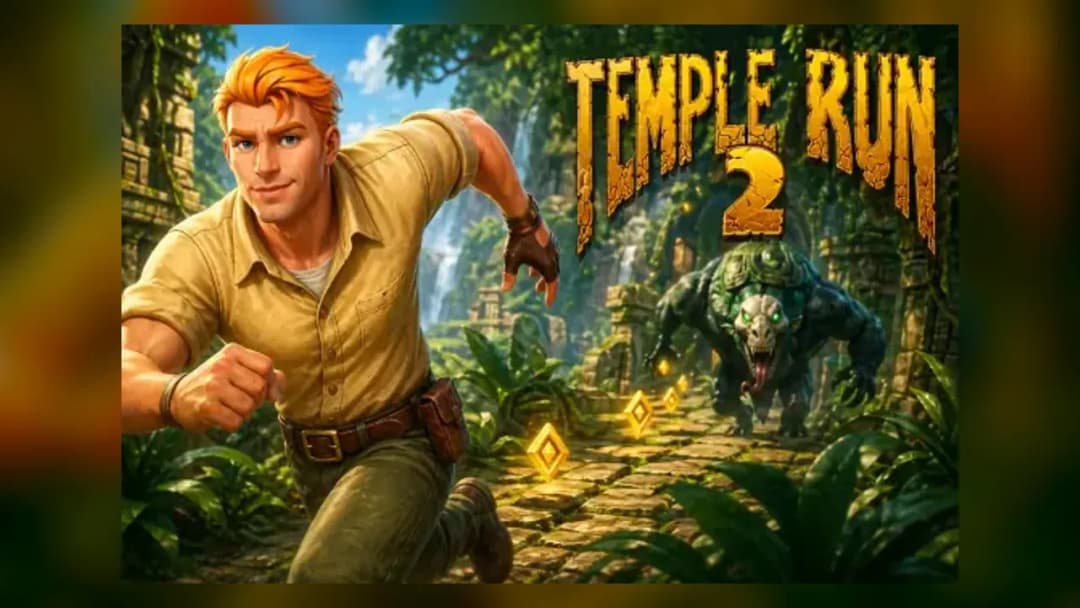
Play Temple Run 2 Online Free
Play Temple Run 2, a Action game available in your browser. Review the controls, features, and compatibility notes below, then choose Play when you are ready.
Advertisement



















Advertisement
Most Popular This Month
View All results »


































Temple Run 2
TECHNICAL SPECIFICATIONS
OPERATIONAL GUIDE
CORE FEATURES
Advertisement
About Temple Run 2
Play Temple Run 2 online free with no download. Run, jump, slide, and grab coins in this unblocked browser chase on PC, mobile, or Chromebook.
What's in this guide
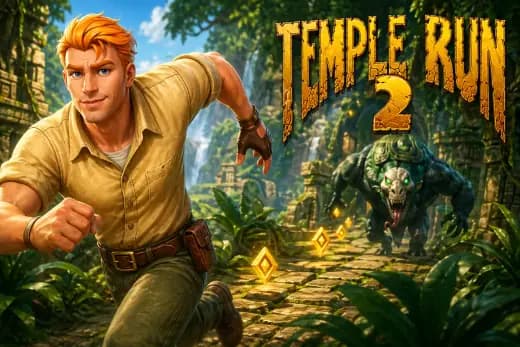
Temple Run 2 is an endless runner built around constant forward motion, snap reactions, and readable obstacle patterns. On ZGames.io, it functions as a browser game designed for instant play across PC, mobile, tablet, and Chromebook hardware, with no download, launcher, or installer required. The HTML5 game format allows the page to load inside a modern browser while mapping keyboard, touch, and mobile inputs to the same core actions: turn, jump, slide, shift lanes, and collect coins.
The core design stays brutally simple: the character runs automatically, and the player controls survival. Every second raises the stakes because speed increases, corners arrive faster, and hazards demand tighter timing. Temple Run 2 remains popular because its rules make sense after one attempt, but its scoring ceiling depends on muscle memory, risk control, and calm decision-making under acceleration.
Game NameTemple Run 2CategoryGamesTechnologyHTML5 / Browser NativePlatformsPC, Mobile, Tablet, ChromebookRequires Download?No, Instant PlayWhat's In This Guide
- About Temple Run 2
- Complete Controls & Mechanics
- Advanced Strategies & Tips
- How to Play Unblocked at School
- Known Glitches & Quirks
- Top Alternatives & Competitors
About Temple Run 2
Temple Run 2 comes from Imangi Studios and builds on the original mobile endless-runner formula that helped define touchscreen arcade design in the early 2010s. The sequel expanded the original concept with sharper environments, more varied terrain, rope sections, mine-cart sequences, new characters, upgrade systems, and more dramatic camera movement. The result feels less like a flat lane runner and more like a chase through collapsing architecture.
The design philosophy centers on one rule: the player should fail because they read the path too late, not because the controls feel unclear. Obstacles appear in repeatable categories, including gaps, turns, roots, flames, rotating hazards, low barriers, and narrow ledges. The game trains the player through repetition, then increases speed until familiar actions require cleaner timing.
As a Temple Run 2 browser game, the experience depends on low-latency input and stable rendering. HTML5 and browser-native rendering allow modern devices to process animation, collision checks, audio, and input inside the browser sandbox. That makes the game suitable for mobile gaming sessions, quick Chromebook breaks, and desktop play without changing the core loop.
- Engine & Tech: The browser version relies on HTML5 delivery and hardware-accelerated rendering where available, targeting smooth animation and consistent input response.
- Accessibility: Temple Run 2 mobile and Chromebook play work well because the actions use simple directional inputs rather than complex key combinations.
- Updates: The broader Temple Run 2 ecosystem has featured characters, themed environments, seasonal content, and upgrade progression over time.
Complete Temple Run 2 Controls & Mechanics
Temple Run 2 feels immediate because the runner never stops. The player does not manage acceleration with a throttle; instead, the game creates pressure through automatic forward movement. Keyboard controls translate swipes into directional commands. Touch controls use quick gestures. Both schemes demand commitment, because a late jump or delayed turn usually leaves no room for correction.
Movement uses lane logic and path-based turns. Left and right inputs either change lanes on straight segments or rotate the runner at corner prompts. Upward input triggers a jump arc with enough height to clear gaps and surface hazards. Downward input starts a slide that lowers the character hitbox under obstacles. The best players learn to buffer intent without spamming inputs, since repeated commands can create awkward recoveries near turns.
Collision detection focuses on readable hit zones. The game checks whether the runner's position intersects with hazards, ledges, walls, or trap geometry. Momentum matters visually more than physically: the character appears to carry speed through jumps and slides, but the player mainly controls timing windows. That blend gives Temple Run 2 its signature rhythm: react, commit, recover, then scan the next obstacle.
- Movement: Use arrow keys, WASD-style directional input where supported, or touch swipes to turn, change lanes, jump, and slide.
- Action: Collect coins, grab magnets, trigger shields, use boosts, and steer through special sections while keeping the path centered.
- Mechanics: Gravity defines jump timing, lane position controls coin routing, and collision zones punish late reactions against walls, gaps, and low barriers.
Advanced Temple Run 2 Strategies & Tips
High-score play starts before the run becomes fast. The opening phase should build resources without taking greedy risks. Coin trails tempt players into poor lanes, but survival always beats short-term currency. The safest route often ignores a few coins to preserve center positioning before blind turns or bridge sections.
Veteran players scan two layers at once: the immediate obstacle and the next visible route change. A jump may clear a gap, but the landing can place the runner directly before a turn or slide barrier. Strong players prepare the next input during airtime or slide recovery. They do not wait for the character to fully settle before reading the next command.
Power-up management separates casual runs from serious attempts. Magnets reduce risky lane changes, shields protect against a single mistake, and boosts can bypass dense hazard clusters. However, power-ups can also encourage sloppy play. Treat them as safety tools, not permission to stop reading the path.
- Perfect Your Timing: Jump slightly before the visible edge on broken paths, especially as speed increases and reaction windows shrink.
- Manage Resources/Speed: Prioritize upgrades that improve coin gain and protection before chasing cosmetic unlocks.
- Avoid Common Mistakes: Do not chase outer-lane coins immediately before a corner; center lanes give better recovery options.
- Optimize Runs: Use magnets to collect currency safely, then save aggressive lane changes for wide straightaways.
How to Play Unblocked at School
Temple Run 2 unblocked play matters because many school and work devices restrict executable files, app stores, and unknown downloads. A modern HTML5 game avoids those problems by running inside the browser rather than installing separate software. That difference matters on Chromebooks, where managed accounts often block downloads but still allow approved web pages.
Flash games depended on a retired plugin model, while executables require local installation and operating-system permissions. Browser-native games use standard web technologies loaded through the page. This makes Temple Run 2 no download play practical for quick sessions, provided the network allows access to the site and the browser supports current HTML5 features.
- Chromebook Support: Fully compatible with school-style devices because it runs in the browser and uses lightweight directional inputs.
- Browser Native: No executables are required, which keeps play simple on locked-down systems and shared computers.
Known Glitches & Quirks
Like many endless runners, Temple Run 2 can show small quirks when speed, camera motion, and collision timing overlap. A slide may appear to clear a barrier visually while the collision check still registers contact, especially during late inputs. The reverse can also happen: a jump that looks risky may succeed because the hitbox cleared the active danger zone.
Browser performance can create minor visual desync on older hardware. If frames drop, obstacles may appear to approach in larger jumps, making timing feel harsher. The best fix is practical: close heavy tabs, use a current browser, and avoid battery-saver modes that limit performance. These quirks rarely change the rules, but they can affect high-score consistency.
- Physics Quirks: Late slides sometimes look dramatic because the animation starts just as the collision window resolves.
- Visual Desync: Fast corners can show brief clipping between the runner, walls, and terrain during camera rotation.
Top Alternatives & Competitors
Temple Run 2 competes most directly with lane-based runners that test reflexes through automatic movement. Its closest rival in public recognition is Subway Surfers, which uses a brighter urban setting, train-dodging lanes, and a heavier focus on hoverboards and character collecting. Subway Surfers emphasizes horizontal lane reading, while Temple Run 2 adds more turns, drops, and environmental danger.
Players who want sharper precision may also enjoy Slope or Geometry Dash. Slope increases difficulty through physics and downhill momentum, making steering the main challenge. Geometry Dash relies on memorized jumps and music-driven timing. Temple Run 2 sits between them: less punishing than pure rhythm platforming, but more reactive than a simple coin-collection runner.
- Subway Surfers: Similar endless-runner structure, but with train lanes, hoverboards, and a more forgiving recovery rhythm.
- Slope: Faster physics pressure, tighter steering, and a harsher difficulty curve built around momentum control.
Similar Games on ZGames
If you enjoy Temple Run 2, you may also like these games:
Conclusion
Temple Run 2 remains one of the clearest examples of why endless runners work: the controls are simple, the mistakes are readable, and every run creates a new chance to push farther. The browser version keeps that loop accessible through instant play, free-to-play access, and support for PC, mobile, tablet, and Chromebook devices.
Play Temple Run 2 online when you want fast reflex training without account setup or installation friction. It delivers the essential chase, coin collection, upgrades, and survival pressure directly in the browser with no download required.
Advertisement
More Games You'll Love
Controls
Frequently asked questions
How many levels does Temple Run 2 have?
What is the highest score possible in Temple Run 2?
How do you unlock new characters in Temple Run 2?
What are the best power-ups to upgrade first in Temple Run 2?
"Temple Run 2" and related names may be trademarks of their respective owners. This page is an informational game directory only; ZGames.io is not sponsored by or affiliated with trademark holders unless a specific game page says otherwise.
Gameplay Video: Temple Run 2
OFFICIAL SOURCES & SITES
Player Reviews
No Reviews Yet
Be the first to share your feedback and rate this game!
Submit Your Review
Keep exploring