Play Tower Defense Kingdom Online Free
Play Tower Defense Kingdom, a Adventure game available in your browser. Review the controls, features, and compatibility notes below, then choose Play when you are ready.
Advertisement
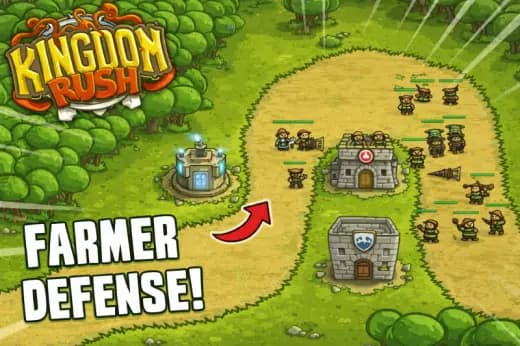
Tower Defense Kingdom



















Advertisement
Most Popular This Month
View All results »



































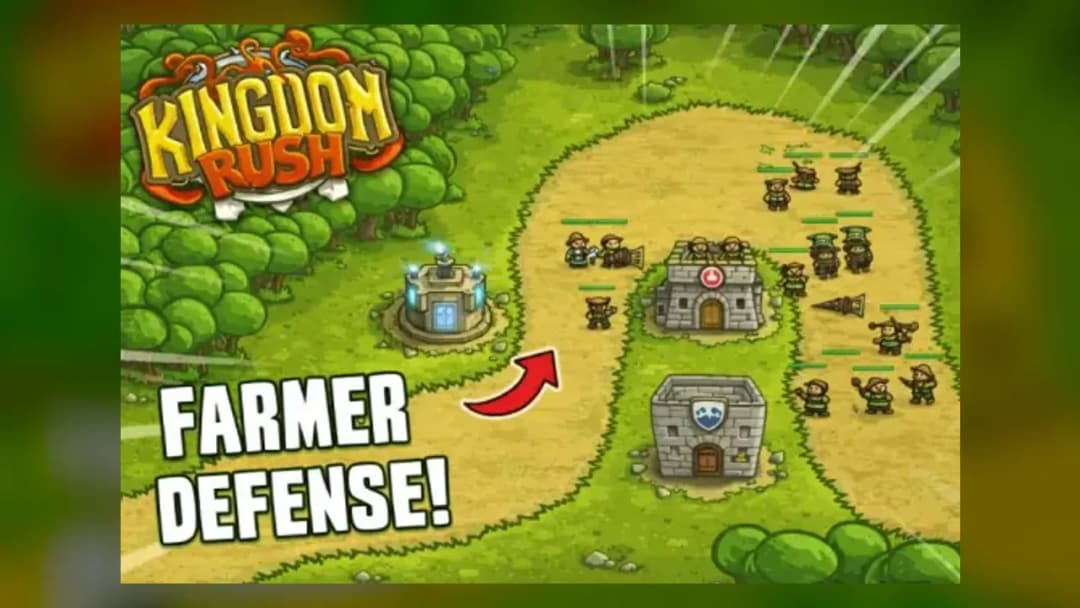
Tower Defense Kingdom
TECHNICAL SPECIFICATIONS
OPERATIONAL GUIDE
CORE FEATURES
Advertisement
About Tower Defense Kingdom
Play Tower Defense Kingdom online free: place towers, stop waves, upgrade defenses in a fast unblocked browser game with no download on any device.
What's in this guide
Tower Defense Kingdom is a browser-based strategy game built around lane control, tower placement, wave reading, and upgrade timing. The game runs as an HTML5 game inside a modern web browser, which means players can start instantly on PC, mobile, tablet, or Chromebook without installing a separate client. Its core loop stays clean: study the enemy path, place defenses beside it, earn gold from defeated attackers, and reinforce weak sections before the next wave hits the castle.
The appeal comes from pressure, not complexity for its own sake. Every click matters because a tower placed one tile too far from a bend may lose several shots across a full wave. A cheap early tower can carry a lane if it sees enough traffic, while an expensive tower can waste gold if it fires only once before enemies leave range. That visible cause-and-effect makes Tower Defense Kingdom easy to understand and satisfying to optimize.
Game NameTower Defense KingdomCategoryGamesTechnologyHTML5 / Browser NativePlatformsPC, Mobile, Tablet, ChromebookRequires Download?No, Instant PlayWhat's In This Guide
- About Tower Defense Kingdom
- Complete Controls & Mechanics
- Advanced Tower Defense Kingdom Strategies & Tips
- How to Play Unblocked at School
- Known Glitches & Quirks
- Top Alternatives & Competitors
About Tower Defense Kingdom
Tower Defense Kingdom follows the classic tower defense lineage that grew from real-time strategy map mods and later became one of the strongest browser game formats. Instead of giving players direct control over a soldier or vehicle, the game asks them to control space. The enemies move; the player shapes the battlefield. That design creates a tactical puzzle where range circles, path geometry, attack speed, and upgrade cost matter more than reflex spam.
The physics model focuses on deterministic pathing rather than character momentum. Enemies travel along set lanes and collide with the loss condition only when they reach the castle endpoint. Towers usually evaluate targets by range, line-of-sight logic, attack cooldown, and priority behavior. The result feels readable: if a tower fires too slowly, the player sees why. If a bend becomes a kill zone, the player sees enemies spend more time inside overlapping ranges.
Its design philosophy favors compact decisions. A strong round does not require hundreds of inputs. It requires the right inputs at the right time. Players who play Tower Defense Kingdom online learn to value economy, coverage, and timing because each wave tests the previous build choice. The best defenses look simple after they work, but they usually come from careful route analysis.
- Engine & Tech: The HTML5 framework renders sprites, tower effects, projectiles, and interface elements directly through the browser, often using canvas-based drawing for smooth animation.
- Accessibility: The game stays friendly to low-end Chromebooks because it avoids large installs, heavy 3D assets, and operating-system dependencies.
- Updates: Public build history can vary by host, so players should treat balance, level order, and minor interface changes as version-specific.
Complete Controls & Mechanics
Tower Defense Kingdom uses point-and-click or tap-first controls. On desktop, the mouse handles tower selection, build placement, upgrade menus, and wave management. On phones and tablets, touch input performs the same job with direct taps. The control scheme works because tower defense does not demand constant camera movement or frame-perfect character steering; it rewards precision in planning instead.
Input latency rarely decides a match, but interface clarity still matters. A delayed tap on an upgrade button can cost the player if a fast wave has already entered the final stretch. Good play means preparing before the wave arrives, not panic-clicking while enemies cross the last tiles. The game teaches this through failure: late upgrades help less than early coverage.
Collision detection centers on path arrival and projectile targeting. Enemies do not need complex body physics; they need consistent movement along the lane. Towers, however, depend on accurate range checks. A bend multiplies tower value because enemies remain inside the attack radius for more frames, allowing slow towers to land additional hits and fast towers to burn through clustered targets.
- Movement: Players do not move a character; they move the cursor or finger across build spots, menus, and upgrade buttons.
- Action: The main actions include placing towers, upgrading existing defenses, starting waves, and reacting to enemy patterns.
- Mechanics: Range, cooldown, damage, enemy speed, and path geometry create the strategic physics of each stage.
Advanced Tower Defense Kingdom Strategies & Tips
Strong players treat every map as an economy puzzle. Gold spent in the wrong place creates an invisible debt that appears three waves later when armored enemies survive with a sliver of health. The safest opening usually covers the longest shared path first. A tower that shoots for ten seconds across a bend outperforms a tower that watches an empty straightaway.
High-score routing depends on overkill control. If three towers all fire at the same nearly defeated enemy, the defense wastes damage that could have softened the next target. Spread coverage along the path, but concentrate your best upgrades where enemies bunch together. This balance lets splash towers, slows, and fast shooters complement each other instead of competing for the same kills.
Wave timing also matters. Sending a wave too early can flood the board before upgrades come online. Waiting too long can slow progression if the build already handles current threats. The best rhythm comes from reading enemy behavior: fast units require early hits, bulky units require sustained fire, and mixed waves require a final-gate safety net.
- Perfect Your Timing: Upgrade before enemies enter a tower's main firing arc so the stronger damage applies across the full lane segment.
- Manage Resources/Speed: Spend early gold on coverage, then convert proven towers into upgraded anchors once their value becomes obvious.
- Avoid Common Mistakes: Do not stack every tower at the entrance; leaks become fatal when the back half of the map has no finishing damage.
- Optimize Runs: Build around corners, crossroads, and long curves because those tiles generate the most attack frames per coin spent.
How to Play Unblocked at School
Tower Defense Kingdom unblocked works well as a school-friendly browser game because it relies on web delivery rather than an executable installer. Traditional downloaded games often trigger device restrictions because they need file access, admin permissions, or blocked launchers. Modern HTML5 games load through the browser, store temporary assets in memory, and run inside the same environment students already use for web apps.
This difference matters on managed Chromebooks. Flash games depended on an obsolete plugin, while native apps required installation privileges. A Tower Defense Kingdom browser game can run through standard browser rendering with no download, making it simpler, safer, and easier to launch during approved free time. Network rules still depend on each school, so players should follow local policies.
- Chromebook Support: Fully compatible with school devices because it runs locally in RAM via the browser after page assets load.
- Browser Native: No executables are required, which avoids the installation barriers that block many desktop games.
Known Glitches & Quirks
Like many HTML5 strategy games, Tower Defense Kingdom can show small timing quirks when the browser tab loses focus or the device struggles under heavy animation. A projectile may appear to trail behind its target, or a damage number may pop slightly after impact. These moments usually reflect visual timing rather than broken game logic.
Some players also notice range-edge behavior. A tower near the limit of its circle may begin a shot just before an enemy leaves range, creating a hit that looks generous. In other cases, a slow-firing tower may rotate toward a target but fail to shoot before the cooldown check finishes. These quirks reward clean placement away from unreliable range borders.
- Physics Quirks: Edge-of-range shots can feel inconsistent, so expert players build where enemies remain inside range for several frames.
- Visual Desync: Minor projectile lag or sprite clipping can appear during crowded waves, especially on older mobile hardware.
Top Alternatives & Competitors
Tower Defense Kingdom competes with classic lane-defense games that emphasize planning over direct combat. Compared with faster action titles, it gives players more time to think but punishes poor decisions with ruthless wave pressure. The difficulty curve feels tactical: the game asks players to improve their layout, not mash buttons faster.
Players who enjoy free-to-play browser strategy may compare it with Bloons-style defense games, kingdom-defense campaigns, and minimalist HTML5 tower games. Tower Defense Kingdom stands out when players want instant play, clear tower feedback, and a compact layout that works for mobile gaming as well as desktop play.
- Kingdom Rush: Kingdom Rush offers heavier campaign structure and hero systems, while Tower Defense Kingdom keeps the focus on direct tower economy and path control.
- Bloons Tower Defense: Bloons games lean into dense upgrade trees and huge swarm counts; Tower Defense Kingdom uses a more straightforward medieval defense rhythm.
Similar Games on ZGames
If you enjoy Tower Defense Kingdom, you may also like these games:
Conclusion
Tower Defense Kingdom works because it turns simple inputs into meaningful decisions. You click or tap, but the real skill sits in coverage, timing, upgrade order, and reading wave composition before enemies reach the castle.
Play Tower Defense Kingdom online free on ZGames.io if you want an HTML5 game with no download, quick loading, and practical support for PC, mobile, tablet, and Chromebook. It gives strategy players a clean browser-native defense challenge without extra setup.
Advertisement
More Games You'll Love
Controls
Frequently asked questions
What is the best tower placement strategy in Tower Defense Kingdom?
Should you upgrade towers or build new ones first in Tower Defense Kingdom?
How do you stop fast enemies from reaching the castle in Tower Defense Kingdom?
Why do later waves feel much harder in Tower Defense Kingdom?
"Tower Defense Kingdom" and related names may be trademarks of their respective owners. This page is an informational game directory only; ZGames.io is not sponsored by or affiliated with trademark holders unless a specific game page says otherwise.
Player Reviews
No Reviews Yet
Be the first to share your feedback and rate this game!
Submit Your Review
Keep exploring