Play Run 3 Unblocked Online Free
Play Run 3 Unblocked, a Arcade game available in your browser. Review the controls, features, and compatibility notes below, then choose Play when you are ready.
Advertisement
















Advertisement
Most Popular This Month
View All results »
































Run 3 Unblocked
TECHNICAL SPECIFICATIONS
OPERATIONAL GUIDE
CORE FEATURES
Advertisement
About Run 3 Unblocked
Play Run 3 online free with no download in an unblocked browser. Rotate space tunnels, leap gaps, and survive tricky platforms on PC or Chromebook fast.
What's in this guide

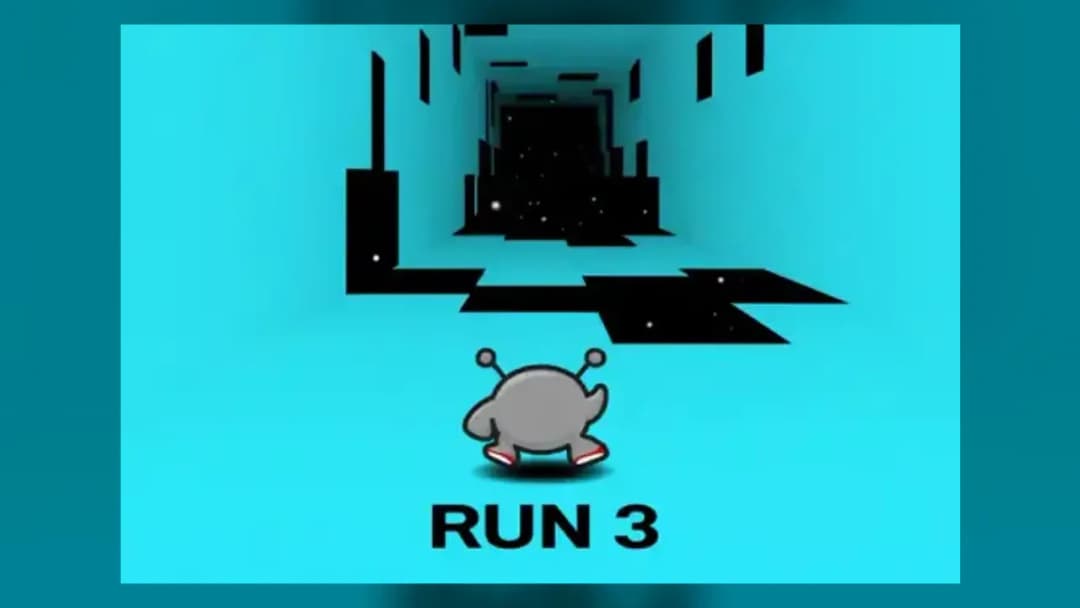
Run 3 is a 3D browser runner and precision platform game built around rotating space tunnels, clean input timing, and gravity-based navigation. The player controls a small character moving through suspended corridors where the floor can become a wall, the wall can become the ceiling, and one late jump sends the run into open space. Modern browser versions run as an HTML5 game, making it suitable for instant play on PC, mobile, tablet, and Chromebook without installing an executable.
The core loop stays brutally readable: move left or right, jump over missing panels, land on a safe surface, and use tunnel rotation to redefine gravity. That simple control set gives Run 3 unusual depth. It plays like an endless runner when speed builds, but it demands the route planning of a puzzle platformer when the tunnel breaks into scattered islands.
Game NameRun 3CategoryGamesTechnologyHTML5 / Browser NativePlatformsPC, Mobile, Tablet, ChromebookRequires Download?No, Instant PlayWhat's In This Guide
- About Run 3
- Complete Controls & Mechanics
- Advanced Strategies & Tips
- How to Play Unblocked at School
- Known Glitches & Quirks
- Top Alternatives & Competitors
About Run 3
Run 3 belongs to the classic school-browser era, but its design survived because it solved a problem many runners ignored: repetition. Instead of sending the player down a flat lane forever, it wraps the level around a tunnel and lets gravity follow the player’s surface. That single rule turns every stage into a spatial puzzle.
The game’s identity comes from readable physics. The character accelerates quickly enough to feel responsive, yet the jump arc remains predictable. Missing panels create pressure, but the camera angle gives enough information to choose a route. This is why players can fail a level ten times and still understand exactly what they did wrong.
Its cultural footprint grew through classrooms, library computers, and lightweight gaming sites because it asks for almost nothing from the machine. Play Run 3 online and the browser handles rendering, input, and local storage inside the page. No launcher. No patcher. No account gate.
- Engine & Tech: Browser builds rely on HTML5-era rendering rather than external plug-ins, allowing smooth frame delivery on common devices.
- Accessibility: Low-detail geometry, simple textures, and keyboard-first controls help Run 3 stay playable on budget Chromebooks.
- Updates: Different web versions may include different routes, characters, and saved-progress behavior depending on the hosted build.
Complete Run 3 Controls & Mechanics
Run 3 feels sharp because the player’s hands do very little, yet every input matters. Left and right movement sets the landing angle. Jump timing sets the arc. Wall contact changes gravity. The game never needs a complicated button layout because the level geometry creates the complexity.
Input latency matters most during narrow platform chains. A small delay can turn a safe landing into a slide toward the void, so browser performance affects feel. On a stable device, the best rhythm comes from pressing jump before the edge rather than at the edge. The character needs launch space.
Collision detection uses the tunnel surfaces as playable planes. When the character reaches a wall, the game treats that wall as the new floor, rotating the entire mental map. This gives Run 3 its signature skill test: players must stop thinking in terms of up and down and start reading surfaces as temporary roads.
- Movement: Use arrow keys or WASD on keyboard. Mobile versions use touch controls that imitate lateral steering and jump input.
- Action: Jump to cross gaps, skip weak tiles, or reach side walls. Longer holds generally create more committed jumps.
- Mechanics: Gravity shifts after wall contact, momentum carries through landings, and poor angles often cause overshooting.
Advanced Strategies & Tips
Strong Run 3 players do not react to the closest tile. They read two or three platforms ahead. The fastest path often looks risky because it uses wall rotation to skip broken floors, but the safest path sometimes requires slowing your steering and accepting a longer route.
Character selection changes strategy more than new players expect. A fast character can clear huge gaps but makes micro-corrections harder. A steadier character gives more control on tight sequences. Treat the roster as a toolbox, not a cosmetic menu.
For high-score routing in Infinite Mode, consistency beats flash. Avoid unnecessary wall changes unless they solve a real gap pattern. Every rotation changes the camera relationship, and that moment of reorientation causes most preventable failures.
- Perfect Your Timing: Jump slightly before the lip of a gap, especially when running at speed, so the arc begins with full forward momentum.
- Manage Resources/Speed: Use fast movement on long straightaways, then feather left and right before dense broken-tile sections.
- Avoid Common Mistakes: Do not chase every side wall. A forced rotation can trap you on a worse surface with fewer landing options.
- Optimize Runs: On split paths, favor routes with continuous panels over routes that require repeated last-frame jumps.
How to Play Unblocked at School
Run 3 unblocked works well on many school-style devices because the game runs inside the browser rather than as a downloaded program. Older Flash games required plug-ins that administrators often blocked. Executable games trigger stricter security rules. A browser-native HTML5 game uses standard web technologies, which makes access simpler when a site is allowed.
That does not mean every network permits every game page. Filters can block domains, categories, or embedded content. When available through ZGames.io, Run 3 no download play keeps the process simple: open the page, load the game, and use the keyboard or touch screen. It is also practical for anyone who wants to play Run 3 on Chromebook without storage permissions.
- Chromebook Support: Fully compatible with school devices because it runs locally in RAM through the browser.
- Browser Native: No executables are required, reducing installation friction and avoiding unsafe file downloads.
Known Glitches & Quirks
Run 3 has quirks because its most important mechanic asks the engine to reinterpret surfaces constantly. At high speed, landings near platform corners may feel generous or harsh depending on angle. This is not random; the collision box, surface edge, and momentum vector meet at an awkward point.
Some players use these quirks for speedrun-style shortcuts. A clipped corner can preserve speed. A wall transition can turn a risky gap into a cleaner diagonal route. The best players learn which quirks help and which ones lead straight into empty space.
- Physics Quirks: Corner landings may allow a character to catch a surface that visually looks barely reachable.
- Visual Desync: Fast rotations can make the camera appear late for a moment, especially on low-refresh devices.
Top Alternatives & Competitors
Run 3 competes most directly with minimalist reflex games, but it stands apart because it adds spatial reasoning to speed. Many runners test lane switching. Run 3 tests orientation. That makes failure feel less cheap and more instructional.
Slope offers a harsher physics model with constant downhill acceleration, while Geometry Dash focuses on rhythm memorization and fixed obstacle timing. Run 3 sits between them: less punishing than Slope at first, less scripted than Geometry Dash, and more puzzle-like than most mobile gaming runners.
- Competitor 1: Slope delivers faster physics and heavier momentum, but Run 3 offers more deliberate route planning.
- Competitor 2: Geometry Dash demands memorized rhythm jumps, while Run 3 rewards flexible reactions to 3D tunnel layouts.
Similar Games on ZGames
If you enjoy Run 3, you may also like these games:
Conclusion
Run 3 remains one of the cleanest examples of a free-to-play browser game because it turns three basic actions into a full platforming language. Move, jump, rotate, repeat. The challenge comes from reading geometry under pressure, not from complicated menus or artificial upgrades.
Play Run 3 online free on ZGames.io when you want instant play with no download, fast loading, and Chromebook compatible controls. It works because the design respects the player’s hands: every successful jump feels earned, and every fall teaches the next route.
Advertisement
More Games You'll Love
Controls
Frequently asked questions
How many levels are in Run 3?
How do you unlock new characters in Run 3?
Which character is best for difficult Run 3 levels?
Why did my Run 3 progress reset?
"Run 3 Unblocked" and related names may be trademarks of their respective owners. This page is an informational game directory only; ZGames.io is not sponsored by or affiliated with trademark holders unless a specific game page says otherwise.
OFFICIAL SOURCES & SITES
Player Reviews
No Reviews Yet
Be the first to share your feedback and rate this game!
Submit Your Review
Keep exploring